Grade before you shoot.Develop after. 拍前調色。拍後暗房。
Infinity Camera puts film looks, LUTs and real manual control in the viewfinder — what you see is the file you get. Eternity Studio Pro is the RAW darkroom around your whole library: replace skies, fit looks, retouch, composite in layers, cut video. iPhone, iPad and Mac. Infinity Camera 把底片風格、LUT 和真正的手動控制放進觀景窗 — 看到的就是拍到的。Eternity Studio Pro 是整個圖庫的 RAW 暗房:換天空、套風格、修圖、圖層合成、剪片。iPhone、iPad、Mac 同步。

Infinity Camera
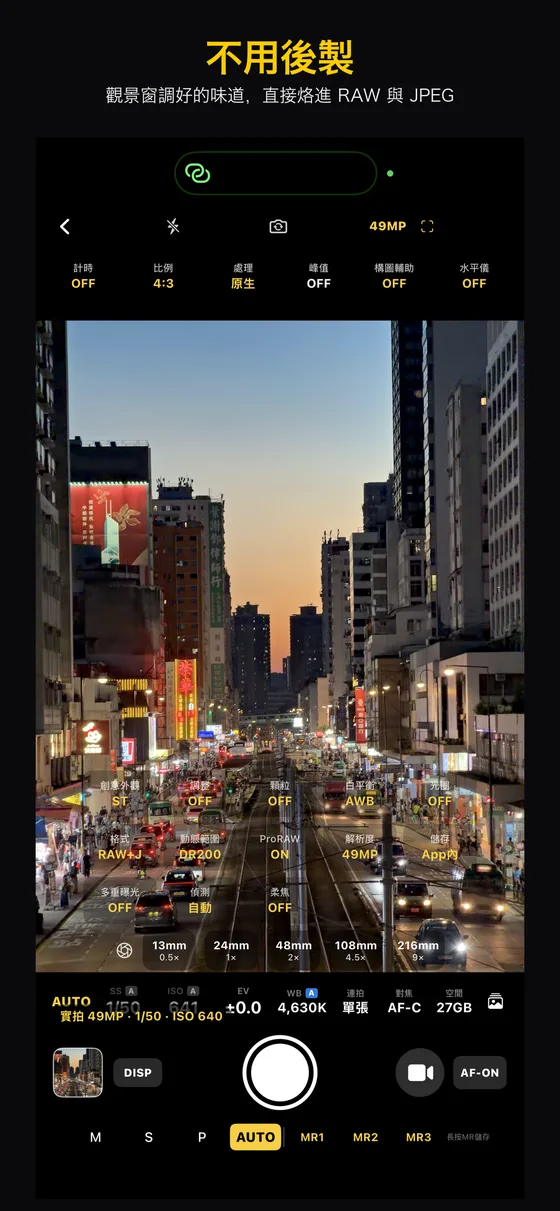
WYSIWYG looks in the viewfinder, M/S/P/AUTO, RAW + Apple Log with live LUT monitoring, live depth-of-field from real depth data, skin tone and smoothing decided before the shutter — plus a built-in library for collages, frames and slideshows.觀景窗即時風格、M/S/P/AUTO 手動、RAW 與 Apple Log 即時 LUT 監看、真實深度資料的 live 光圈散景,膚色美肌在按快門前就決定 — 還有內建媒體庫,拼圖、相框、幻燈片一應俱全。
Explore Infinity Camera認識 Infinity Camera
Eternity Studio Pro
Catalogue everything, tether over USB-C, develop RAW non-destructively, replace the sky, composite in a Photoshop-style layers workspace, retouch with learned skin masks, print colour-managed, grade video with the same looks.編目所有相片、USB-C 連線拍攝、非破壞 RAW 顯影、換天空、Photoshop 式圖層合成、學習式膚色遮罩修圖、色彩管理列印、影片同一套風格調色。
Explore the darkroom看看這間暗房One app, from the first cull to the final print.一個 App,從第一輪選片到最後一張列印。
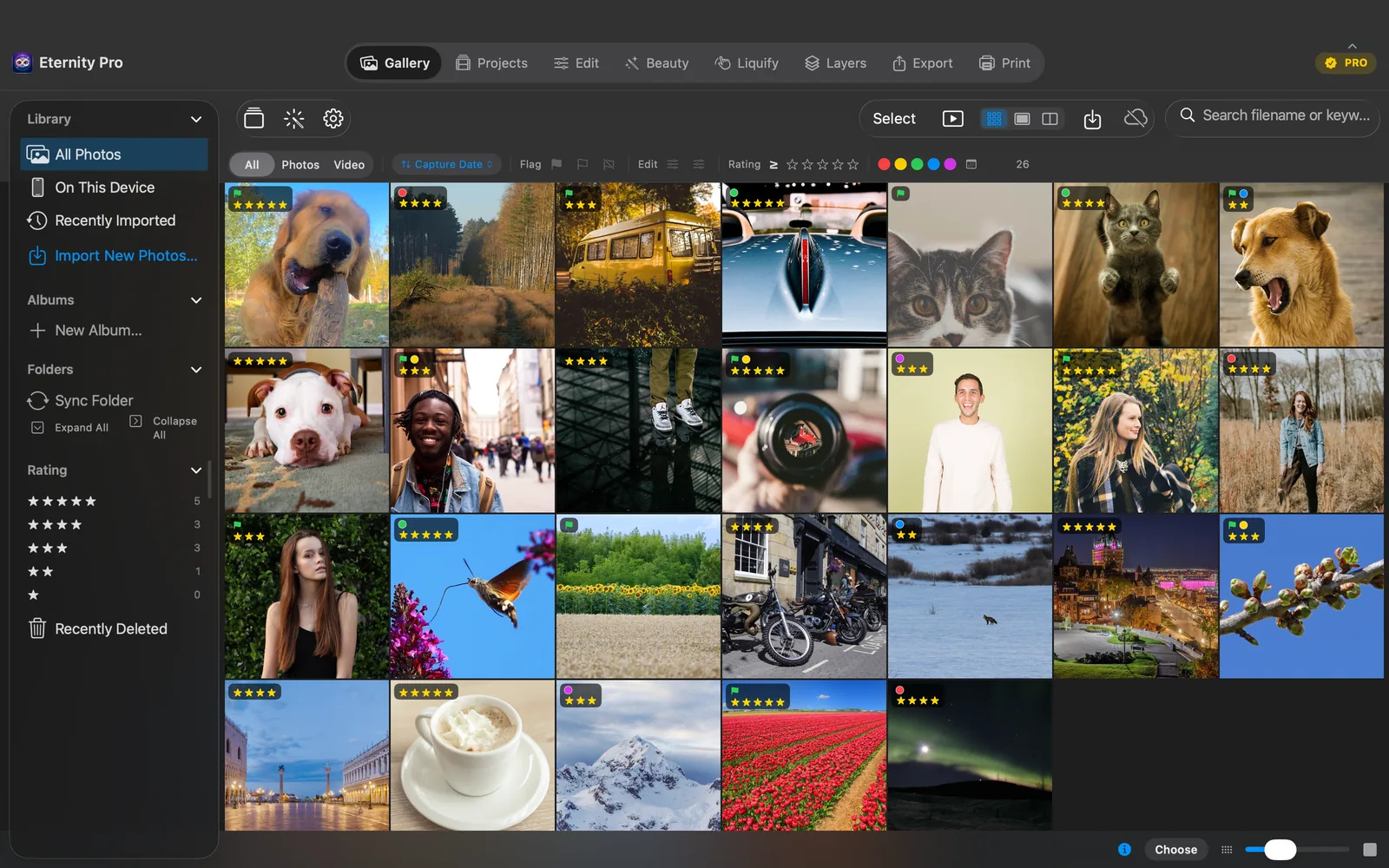
Library圖庫
Folders and drives catalogued in place. Rate, flag, label, filter — and let Smart Cull find the blinks.資料夾與硬碟就地編目。評星、標旗、色標、篩選 — 閉眼照交給智慧選片。
See the Library看看圖庫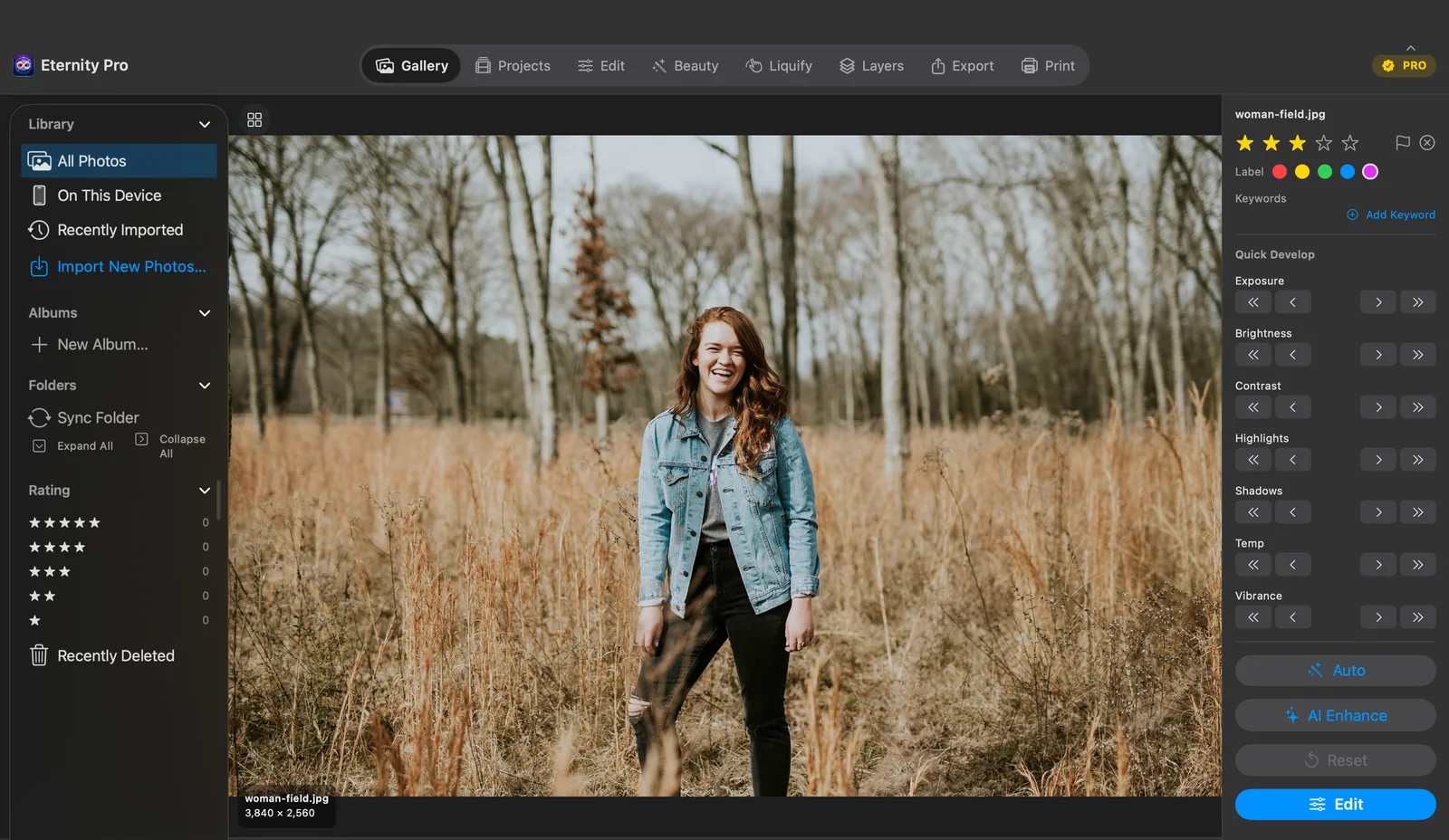
Quick Develop快速編輯
Exposure, tone, warmth and Auto right beside the loupe. Free on JPEG and HEIC.曝光、影調、色溫與自動,就在放大檢視旁邊。JPEG 與 HEIC 免費。
See Quick Develop看看快速編輯
Edit & AI tools編輯與 AI 工具
Studio Light, AI depth of field, skin retouch, Remove, sky and backdrop replacement — on-device.影樓燈光、AI 景深、修膚、移除、換天空與換背景 — 全在裝置上完成。
See the AI tools看看 AI 工具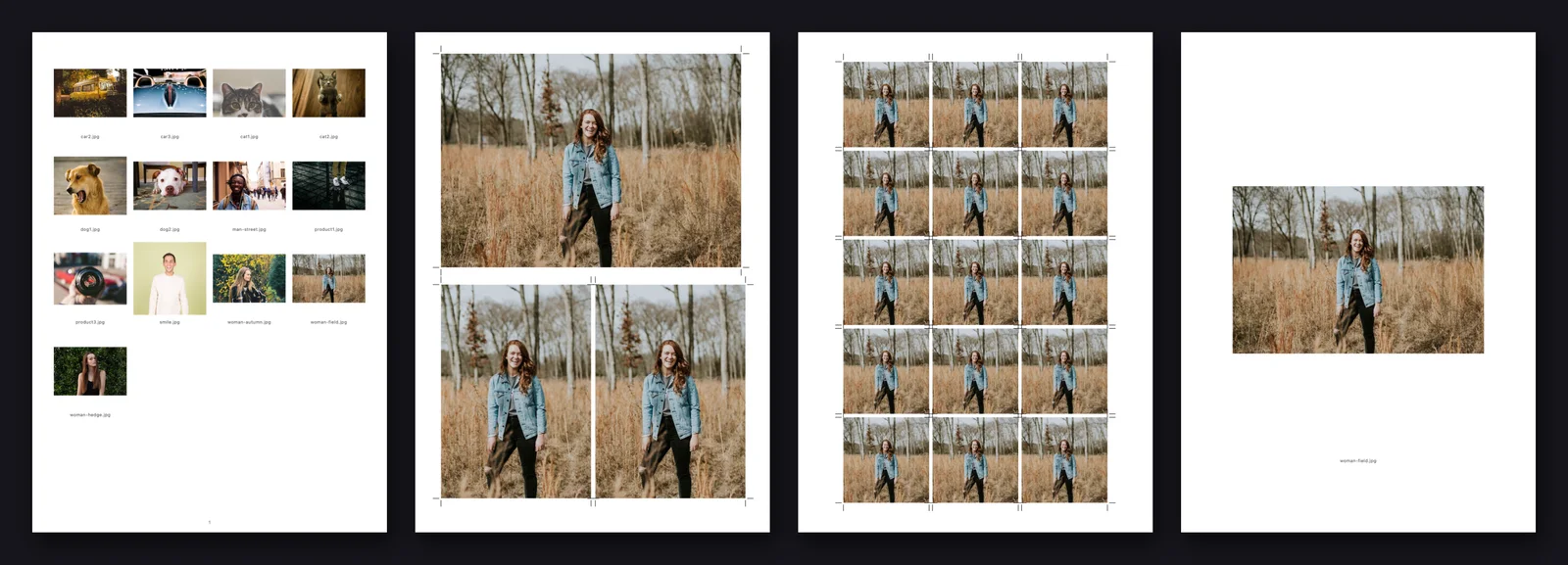
Print列印
Contact sheets, picture packages, photo sheets and fine-art borders, with ICC profiles and soft proofing.縮圖樣張、相片組合、多張排版與藝術留白框,支援 ICC 描述檔與螢幕校樣。
See Print看看列印A new sky that belongs in the photo.換上去的天空,像本來就在那裡。
The sky is found on-device with a learned segmentation model — not a colour key. Edges keep their detail, the horizon dissolves into haze, the foreground light follows the new sky, lakes and the sea reflect the new sky, and a brush fixes the mask anywhere you disagree. 36 real high-resolution skies — with three suggested for each photo — or import your own. 天空由裝置端的學習式分割模型偵測,不是色鍵。邊緣保留細節、地平線自然過渡、前景光線跟著新天空走,湖面與海面映出新天空,遮罩不滿意就用筆刷修。內建 36 張真實高解析天空,每張照片推薦三款,也可匯入自己的。
Drag the handle. Both frames are straight out of the app's render engine — the same pixels you'd export.拖動把手比較。兩張都是 App 渲染引擎的直接輸出 — 與匯出的像素一致。

 Before原圖
After換天空
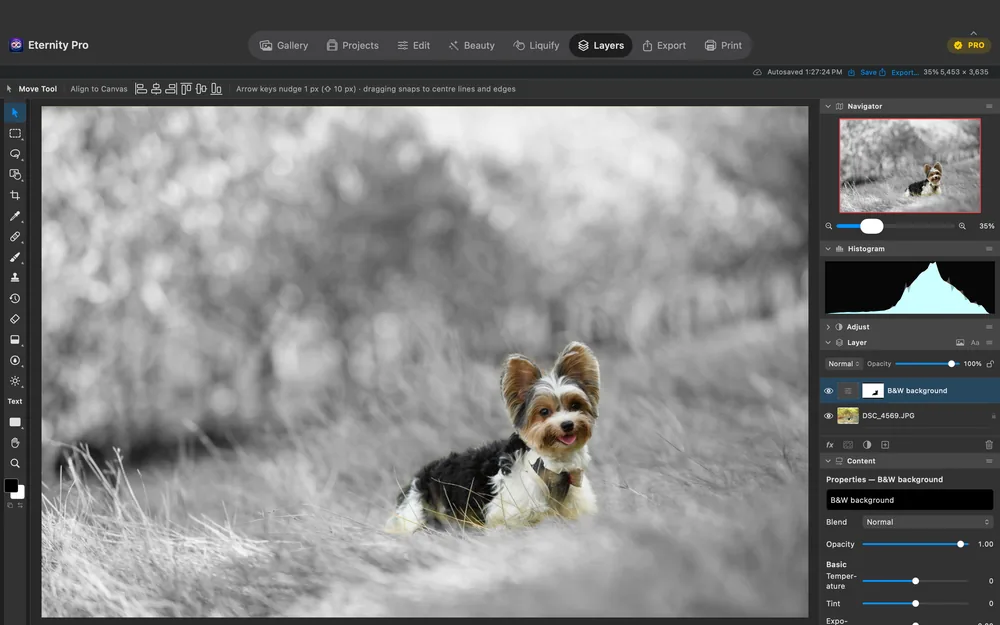
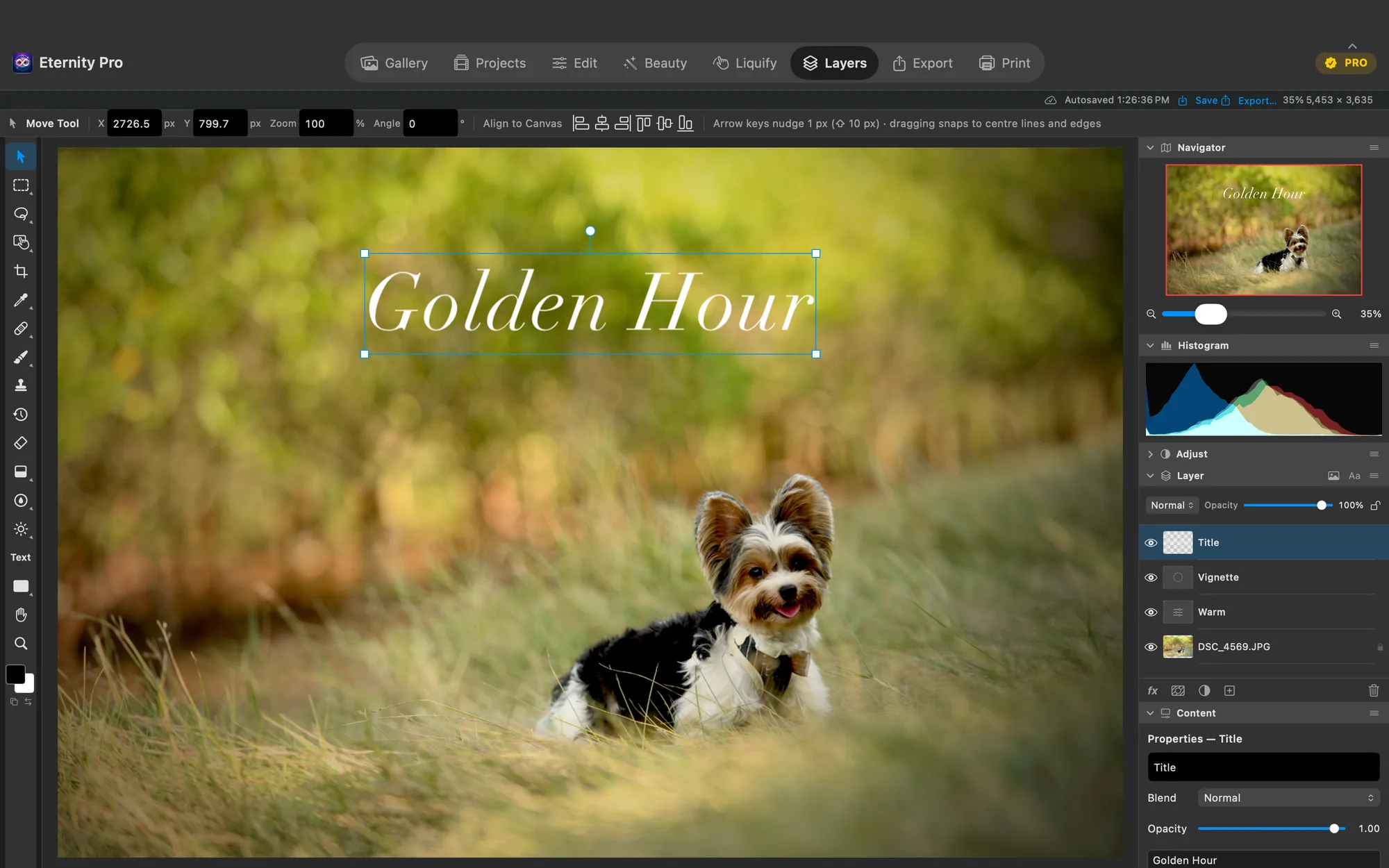
Photoshop-style layers, inside your darkroom.Photoshop 式圖層,就在你的暗房裡。
Select the subject in one click, mask the rest, stack adjustment layers — the frame above took three steps. Your developed RAW is layer one and stays live.一鍵選取主體、遮住其餘部分、疊上調整圖層 — 上面這張只用了三步。你顯影好的 RAW 就是第一層,而且一直保持可調。
- 25 tools in the order desktop editors use, with the same shortcuts25 種工具,排列與快捷鍵都跟桌面修圖軟體一樣
- Select Subject, Quick Selection, Magic Wand and Select and Mask選取主體、快速選取、魔術棒與選取並遮住
- AI Content-Aware Fill, healing, clone and patchAI 內容感知填色、修復、仿製與修補
- Layered PSD export — layers, masks and blend modes intact匯出分層 PSD — 圖層、遮罩、混合模式完整保留
Film looks you can shoot with, then keep editing.拍的時候就是這個風格,回來還能繼續調。
Fuji film simulations, the classic Kodak stocks, Hong Kong cinema — the same look is applied live in Infinity Camera's viewfinder and non-destructively in Eternity Studio Pro. Tune any of them, save your own, import .cube LUTs, and use one look for stills and video alike. 富士底片模擬、經典 Kodak 軟片、港風電影 — 同一個風格在 Infinity Camera 觀景窗即時套用,在 Eternity Studio Pro 非破壞編輯。每個都能微調、另存自己的、匯入 .cube LUT,照片影片共用。

 Original原圖
Velvia
No mockups. Every frame above was rendered by the app from the same source file.不是示意圖。以上每一張都是 App 從同一個原始檔渲染出來的。
Shoot with one. Finish with the other. Or both.一個負責拍,一個負責修。或者兩個都要。
| Infinity Camera → | Eternity Studio Pro → | |
|---|---|---|
| What it is定位 | A camera that grades live即時調色的相機 | Library + RAW darkroom + video圖庫 + RAW 暗房 + 剪片 |
| Looks & LUTs風格與 LUT | In the viewfinder, baked into the file在觀景窗,直接寫進檔案 | Non-destructive, tunable, savable非破壞、可微調、可另存 |
| Only here獨有 | Live depth of field, Log + live LUT, live skin tone & smoothing, scene dial, Camera Control buttonLive 光圈散景、Log + 即時 LUT、即時膚色美肌、情境轉盤、相機控制按鈕 | Sky replacement, layers workspace with PSD export, colour-managed print, tethering, camera-profile fitting, skin-mask retouch, timeline video換天空、可匯出 PSD 的圖層工作區、色彩管理列印、連線拍攝、描述檔擬合、膚色遮罩修圖、時間軸剪片 |
| Platforms平台 | iPhone | iPhone · iPad · Mac |
| Price價格 | Free download · Pro $4.99/month or $39.99/year免費下載 · Pro 每月 US$4.99 或每年 US$39.99 | Free library & video · Pro $6.99/month or $49.99/year, 7-day free trial on yearly圖庫與剪片免費 · Pro 每月 US$6.99 或每年 US$49.99,年費方案 7 天免費試用 |
For people who care about colour.給在乎色彩的人。
Both apps are free to download. Try every Eternity Studio Pro tool free for 7 days.兩個 App 都免費下載。Eternity Studio Pro 所有工具可免費試用 7 天。