Post-processing, before you press the shutter.後製,應該發生在按下快門之前。
Dial in colour, contrast, grain and mood in the viewfinder — and the frame you were looking at is the frame that lands in your library. No export, no round trip, no second app. 在觀景窗裡調好色彩、對比、顆粒和氛圍 — 你看到的那一格,就是進圖庫的那一格。不用匯出、不用來回、不用第二個 App。
A camera, not a filter app.是相機,不是濾鏡 App。
WYSIWYG, not a preview所見即所得,不是預覽
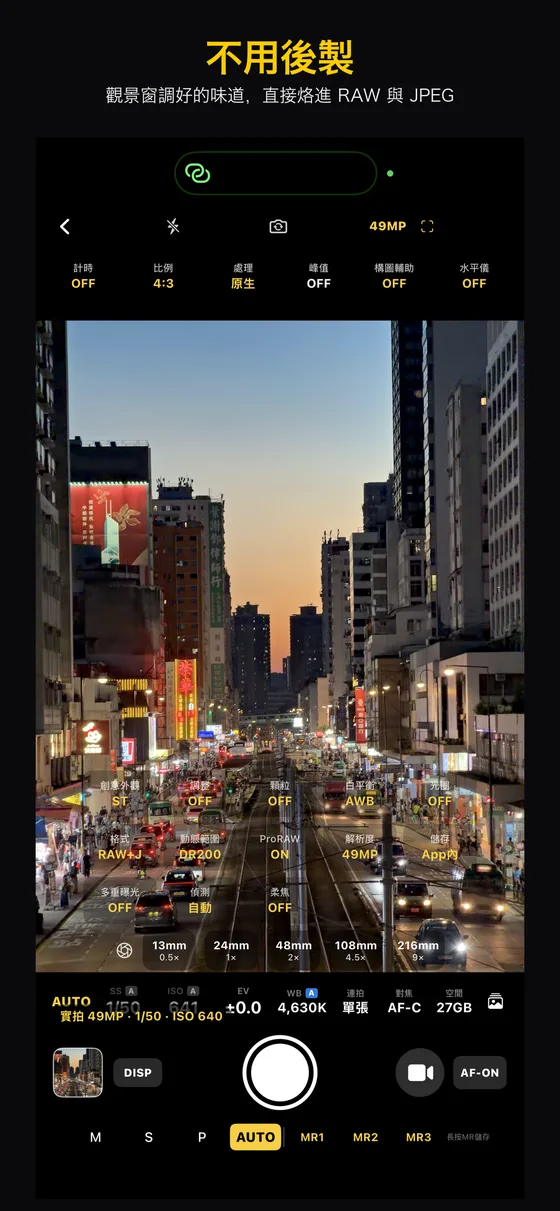
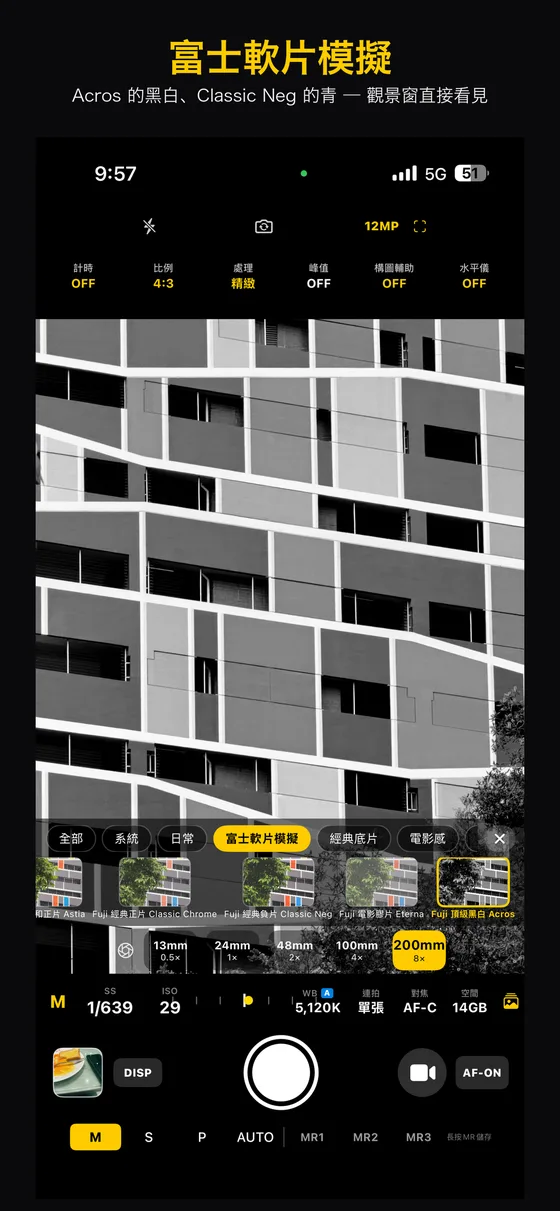
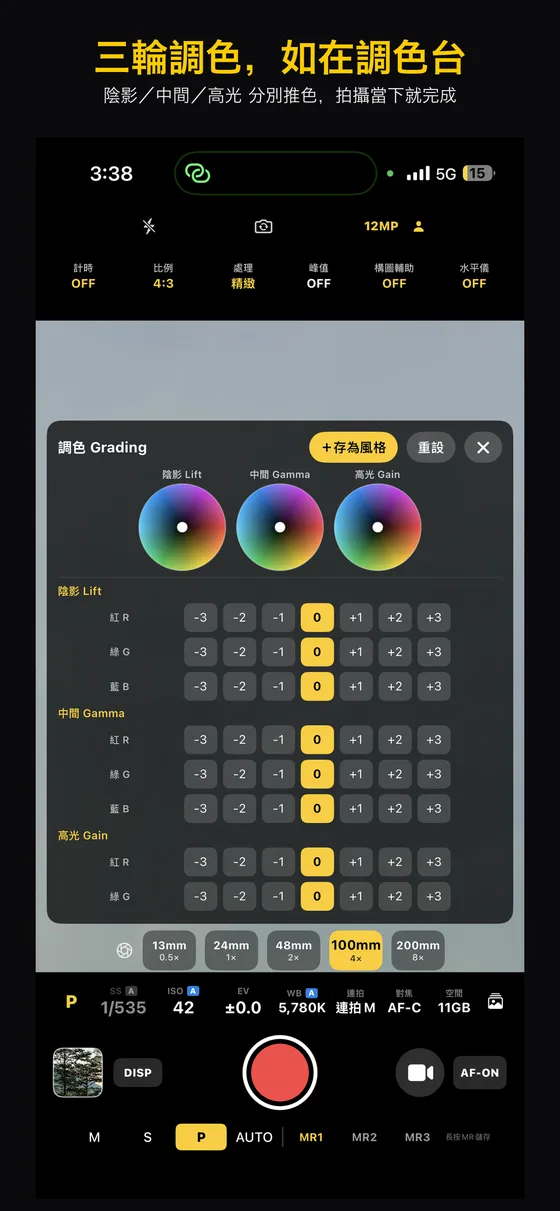
Dozens of live looks and LUTs on the viewfinder itself. Contrast, clarity, grain, curve, HSL, Lift/Gamma/Gain — all computed live, all baked into the file.數十種即時風格與 LUT 直接套在觀景窗上。對比、清晰、顆粒、曲線、HSL、三輪調色 — 全部即時運算,直接寫進檔案。
Real manual control真正的手動控制
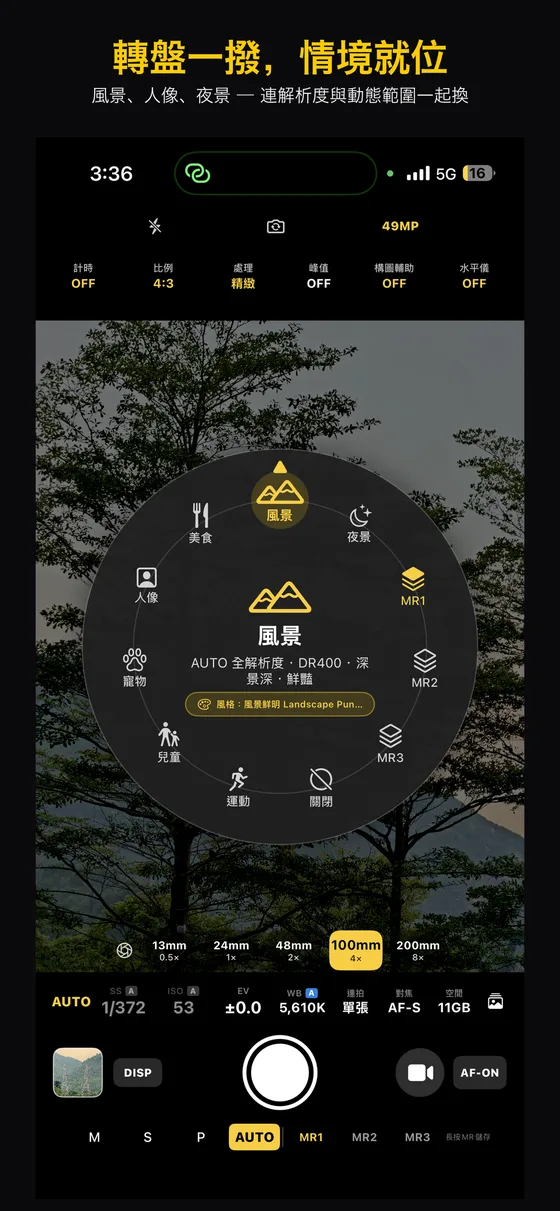
M / S / P / AUTO with shutter, ISO, EV and white balance in your hands. Set WB off a grey card. Focus peaking, level, histogram, face & eye AF.M / S / P / AUTO,快門、ISO、EV、白平衡全在手上。對著灰卡就能設白平衡。峰值對焦、水平儀、直方圖、人臉眼部 AF。
Skin, decided in the viewfinder膚色美肌,在觀景窗就決定
Smooth skin and even out blotchy colour live, with each setting previewed on the face in front of you. Frequency separation, not a blur — pores, lashes, hair and fabric keep their detail.即時柔膚、統一膚色,每個設定都直接顯示在眼前這張臉上。用的是頻率分離,不是模糊 — 毛孔、睫毛、髮絲與布料紋理都保留。
Live depth of fieldLive 光圈散景
Bokeh computed from real depth data before the shot — set the aperture, watch it happen, then capture.用真實深度資料在拍攝前算出散景 — 轉光圈、看效果、再按快門。
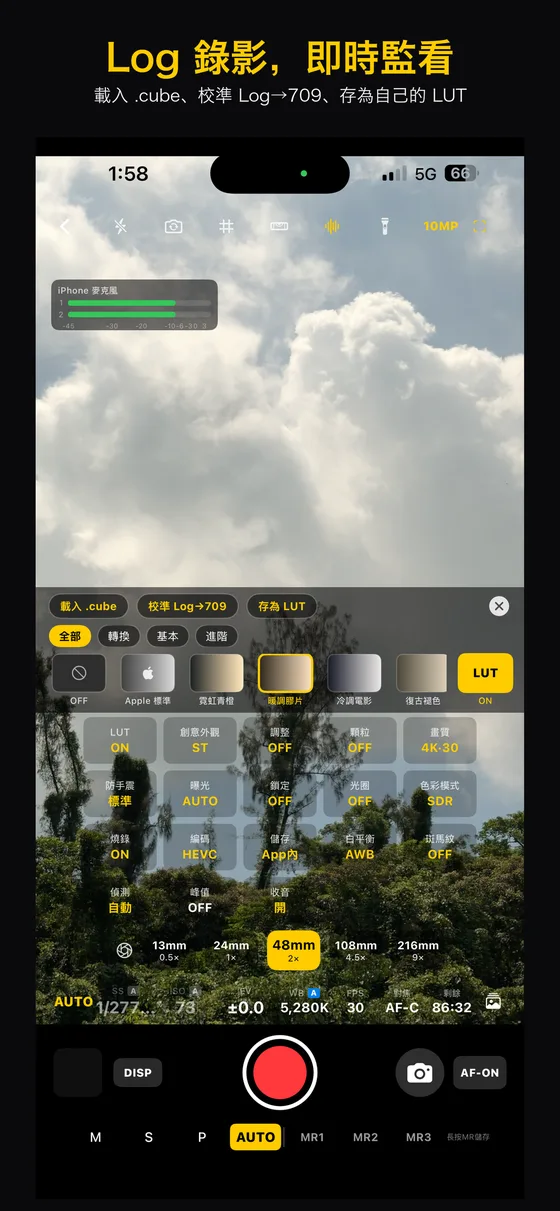
Apple Log with live LUTApple Log 即時 LUT 監看
Shoot Log, monitor through your own .cube, calibrate Log→709 from two measured shots, save a grade as a LUT.拍 Log、用自己的 .cube 監看、兩張實測校準 Log→709、把調色存成 LUT。
RAW, ProRAW, 48MPRAW、ProRAW、48MP
DNG + JPEG/HEIF, multi-frame high-res merge, HDR bracketing, multiple exposure, neural noise reduction.DNG + JPEG/HEIF、多幀高解析合成、HDR 包圍、多重曝光、神經降噪。
Lock Screen & Camera Control鎖定畫面與相機控制按鈕
Launch from the Lock Screen or the Camera Control button. Review at 100% in-app — check focus without leaving for Photos.從鎖定畫面或相機控制按鈕直接啟動。App 內 100% 檢視 — 不用跳去「照片」就能確認對焦。
A media library built in內建媒體庫
Browse your photos inside the app, edit with the same looks, build collages and slideshows, add frames and text.在 App 內瀏覽相片、用同一套風格編輯、製作拼圖與幻燈片、加上相框與文字。 See what's new →看看新功能 →
Time-lapse縮時攝影
Choose an interval and a length; the camera shoots and assembles the clip for you.設定間隔與長度,相機自動拍攝並合成影片。
Shoot, then share — without leaving the camera.拍完就分享,不用離開相機。
An all-new library lives inside Infinity Camera. Browse what you just shot, then turn it into a collage, a framed print-style photo or a slideshow video — all saved straight to Photos.Infinity Camera 內建全新媒體庫。剛拍完就能瀏覽,再做成拼圖、加上相框,或輸出幻燈片影片 — 全部直接存進「照片」。
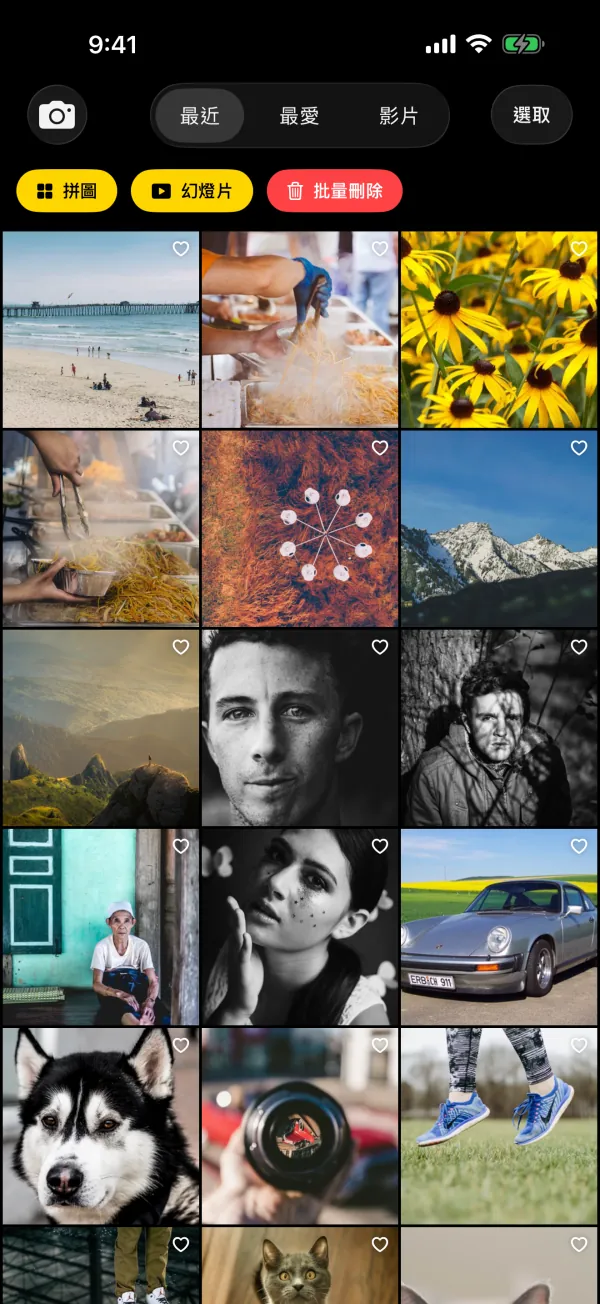
All-new Library全新媒體庫
Your photos and videos, one tap from the viewfinder.相片與影片,從觀景窗一按即達。
- Recent, Favourites, Videos tabs最近、最愛、影片分頁
- Multi-select, then Collage, Slideshow or Bulk delete多選後一鍵拼圖、幻燈片或批量刪除
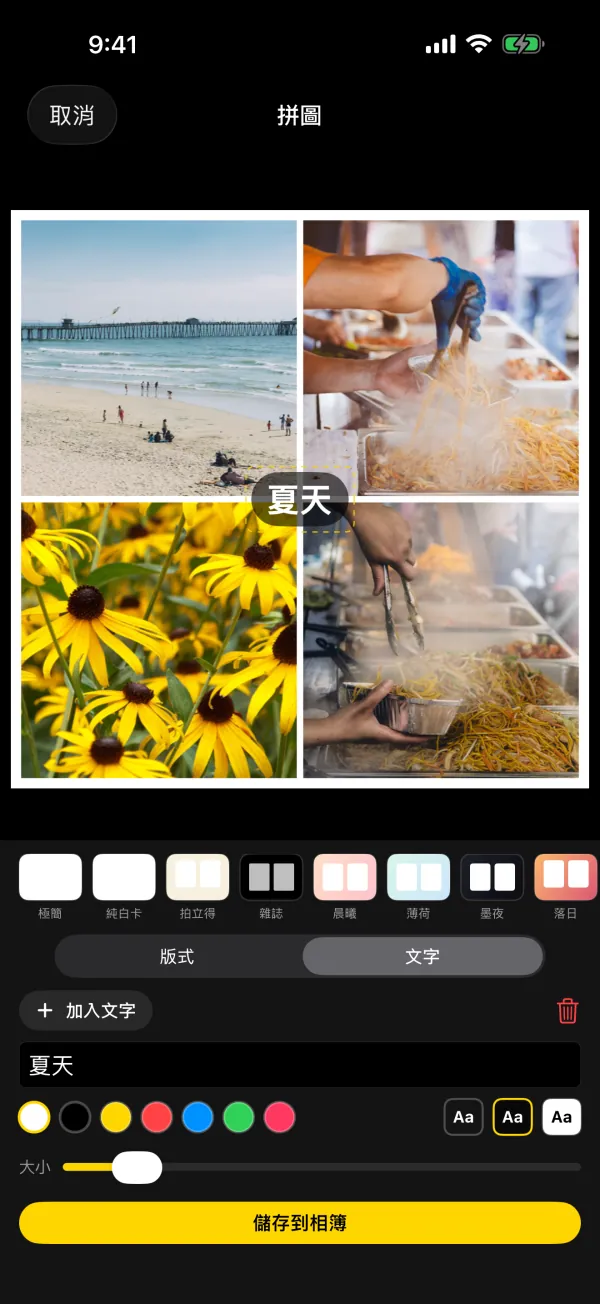
Collage拼圖
Layouts and styles — Minimal, White Card, Polaroid, Magazine and more.多種版式與風格 — 極簡、純白卡、拍立得、雜誌等等。
- Border and corner sliders邊框與圓角滑桿
- Text in your colours and type styles, dragged into place自訂顏色與字款的文字,拖到想要的位置
- Adjust each photo's position and zoom inside its box每格相片都可調整位置與縮放
- Saves straight to Photos直接存入「照片」
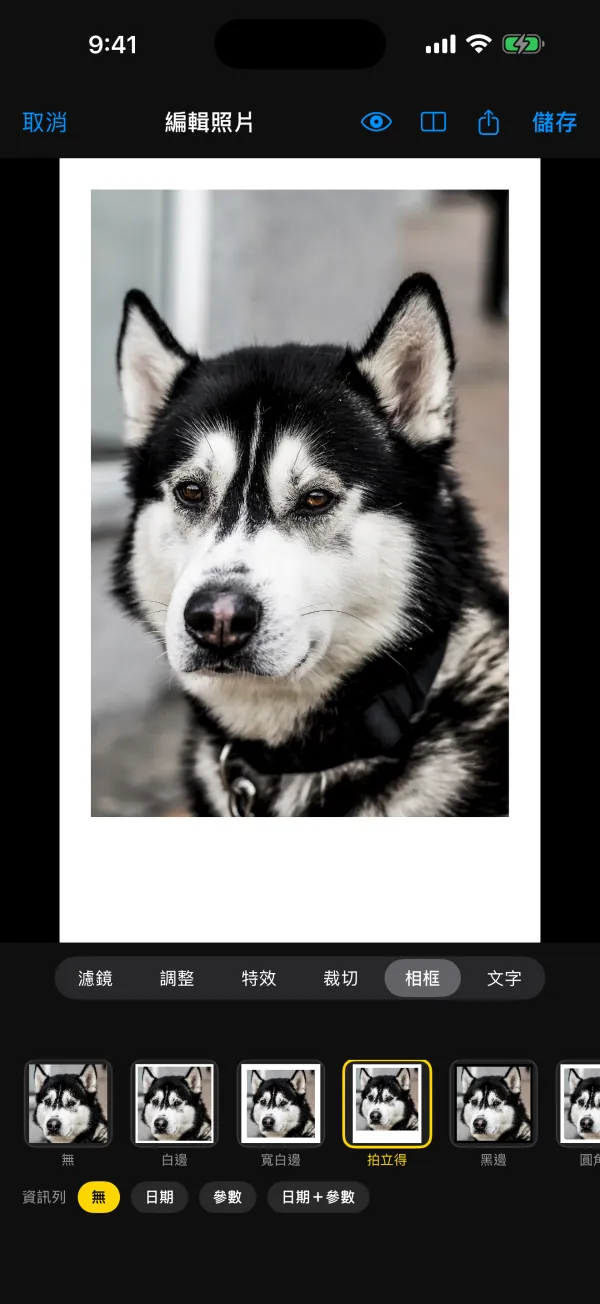
Frames & Info Bar相框與資訊列
Give a single shot a finished, print-ready look in the photo editor.在相片編輯器裡,一張照片也能有完成品的質感。
- White border, Wide white, Polaroid, Black, Film, Magazine and more白邊、寬白邊、拍立得、黑邊、底片、雜誌等相框
- Info bar with the date, camera settings, or both資訊列:日期、拍攝參數,或兩者並列
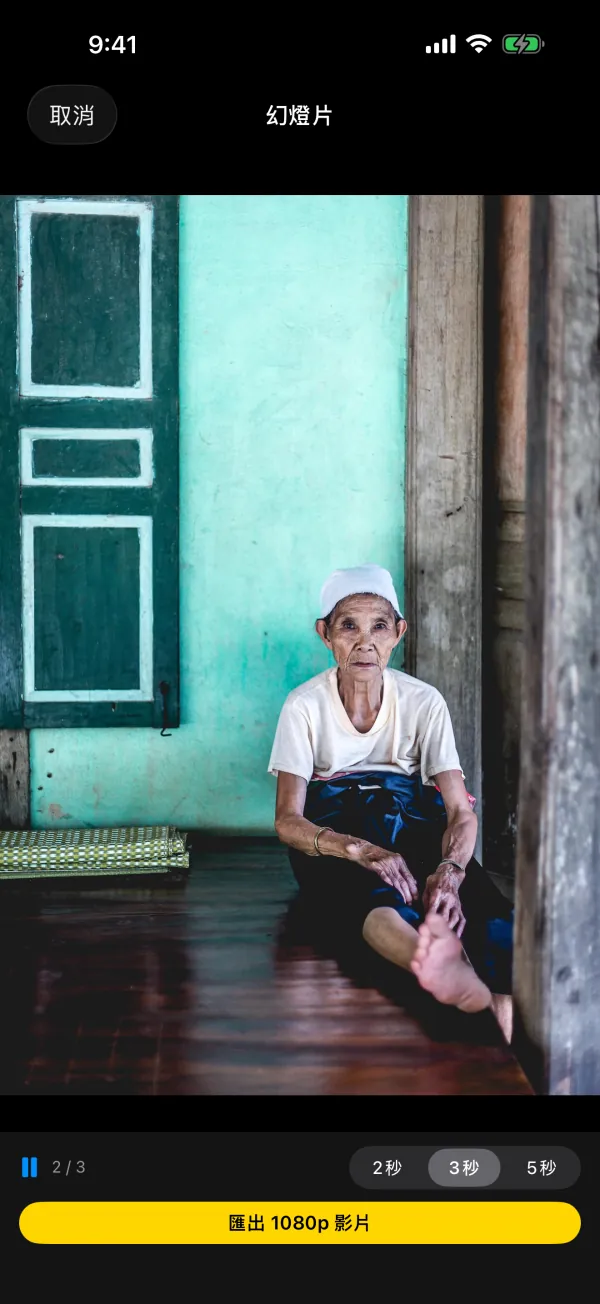
Slideshow幻燈片
Pick your photos and get a video ready to post.挑好相片,就有一段可以直接發佈的影片。
- 2, 3 or 5 seconds per photo每張 2、3 或 5 秒
- Exports a 1080p video輸出 1080p 影片
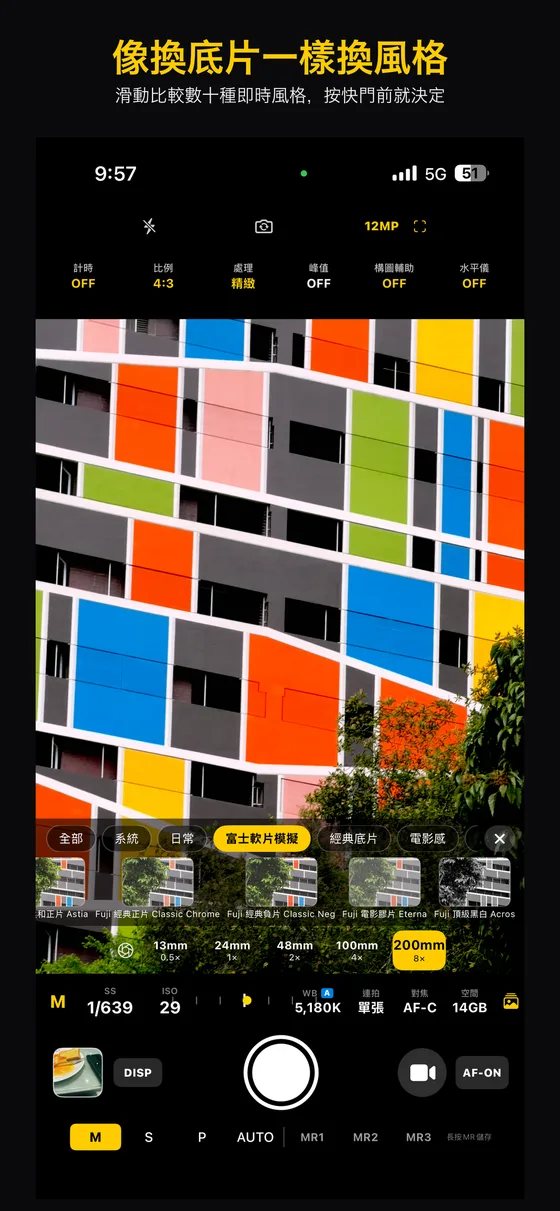
Film looks you can shoot with, then keep editing.拍的時候就是這個風格,回來還能繼續調。
Fuji film simulations, the classic Kodak stocks, Hong Kong cinema — the same look is applied live in Infinity Camera's viewfinder and non-destructively in Eternity Studio Pro. Tune any of them, save your own, import .cube LUTs, and use one look for stills and video alike. 富士底片模擬、經典 Kodak 軟片、港風電影 — 同一個風格在 Infinity Camera 觀景窗即時套用,在 Eternity Studio Pro 非破壞編輯。每個都能微調、另存自己的、匯入 .cube LUT,照片影片共用。

 Original原圖
Velvia
No mockups. Every frame above was rendered by the app from the same source file.不是示意圖。以上每一張都是 App 從同一個原始檔渲染出來的。
Shoot it finished.拍下的就是成品。
Free to download. Pro unlocks everything for $4.99/month or $39.99/year.免費下載。Pro 每月 US$4.99 或每年 US$39.99,解鎖全部功能。