Eternity Studio Pro · iPhone · iPad · Mac

Your photo library, and a full RAW darkroom around it.你的相片圖庫,加上一整間 RAW 暗房。

Catalogue everything you shoot — folders, drives, tethered sessions — then develop it non-destructively, replace the sky, retouch it, composite it in layers and grade your video with the same looks. One library, from card to finished frame. Built for 48MP RAW. 編目你拍的一切 — 資料夾、外接硬碟、連線拍攝 — 然後非破壞顯影、換天空、修圖、用圖層合成,影片也用同一套風格調色。從記憶卡到成品,一個圖庫搞定。為 48MP RAW 而生。

Free to download免費下載 7-day free trial on the yearly plan年費方案 7 天免費試用 One subscription for iPhone, iPad and Mac一個訂閱通用 iPhone、iPad、Mac
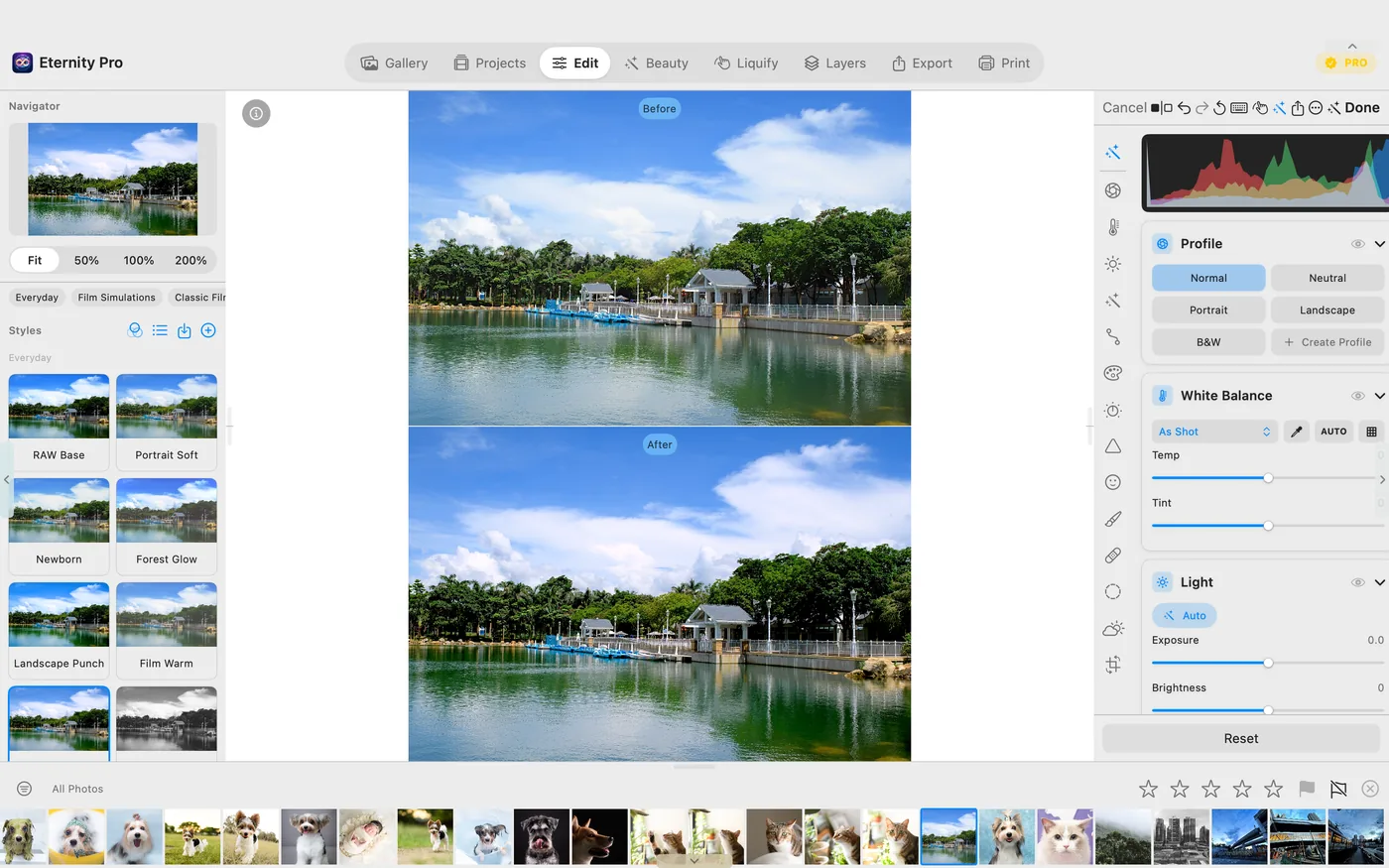
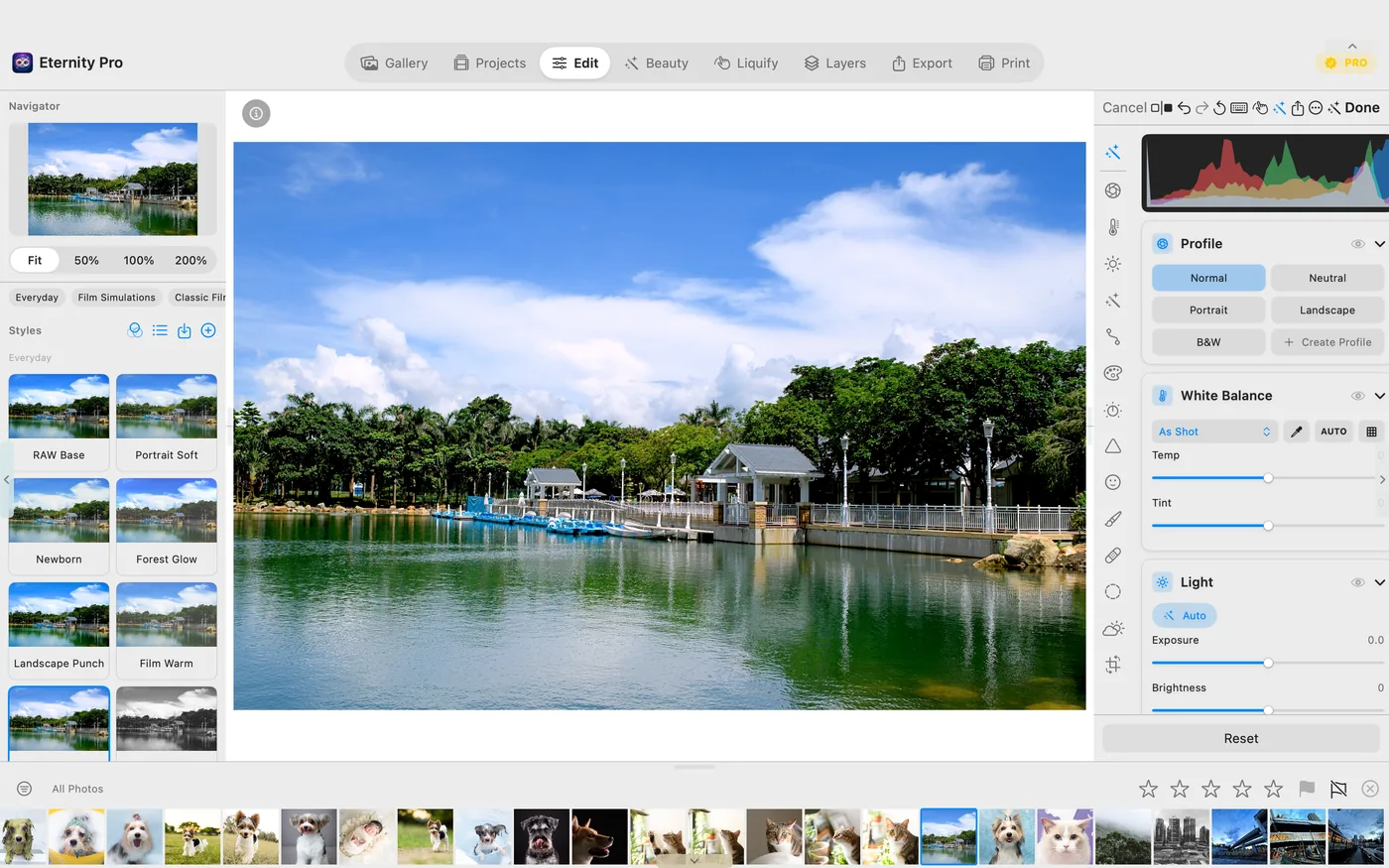
Eternity Studio Pro on Mac: the develop view with styles, profile, white balance and light controls
Everything in one place全部在同一處

From the card to the finished frame.從記憶卡到成品。

🗂️

A real catalogue真正的圖庫

Ratings, flags, colour labels, keywords, folders and albums. Photos from drives and your Photos library, side by side.星等、旗標、色彩標籤、關鍵字、資料夾與相簿。外接硬碟與「照片」圖庫並排管理。

🎞️

Non-destructive RAW非破壞 RAW 顯影

Exposure, curves, HSL, grading wheels, masks and film looks on 48MP RAW. Highlights recovered from the full RAW headroom. The original is never touched.48MP RAW 上的曝光、曲線、HSL、調色輪、遮罩與底片風格。從完整 RAW 動態範圍救回高光。原檔永遠不動。

🌤️

Sky replacement, done properly換天空,認真做

Learned segmentation, edge decontamination, haze at the horizon, light that follows the new sky, grain matching, a brush for the rest.學習式分割、邊緣去色滲、地平線霧氣、前景光線跟隨、顆粒匹配,剩下的交給筆刷。

✨

Retouch that stays skin修膚,還是皮膚

Skin smoothing on learned segmentation — pores and jawlines stay sharp, never plastic. Frequency-separation heal brush, automatic blemish detection, liquify.以學習式分割做膚色平滑 — 毛孔與下顎線保持銳利,不塑膠。頻率分離修復筆刷、自動瑕疵偵測、液化。

🔌

Tethered shooting over USB-CUSB-C 連線拍攝

Nikon, Sony, Canon, Fujifilm — every frame lands in the catalogue as you shoot, full screen, with shutter, aperture and ISO. Rate between frames.Nikon、Sony、Canon、Fujifilm — 每拍一張就進圖庫,全螢幕顯示快門、光圈、ISO,拍攝間就能評分。

🧪

Camera profiles from your own RAW用自己的 RAW 擬合相機描述檔

Fit a measured colour profile for your camera body from your own files.從自己的檔案,為你的機身擬合實測色彩描述檔。

🎥

Video, same looks — free影片,同一套風格 — 免費

Timeline editor with transitions, per-clip volume, freeze frames, voiceover, adjustment layers and audio waveforms.時間軸剪輯:轉場、逐段音量、定格、旁白、調整圖層、音訊波形。

🖨️

Print, colour-managed色彩管理列印

Templates and paper sizes, contact sheets, printer ICC profiles with soft proofing, and output to the printer or as JPEG files.版型與紙張尺寸、索引印樣、印表機 ICC 描述檔與螢幕校樣,直接列印或輸出 JPEG。

💻

Mac, iPad, iPhoneMac、iPad、iPhone

A desktop-class darkroom on Mac with rails and panels; the same tools on iPad and iPhone.Mac 上是完整桌面級暗房;iPad、iPhone 上是同樣的工具。

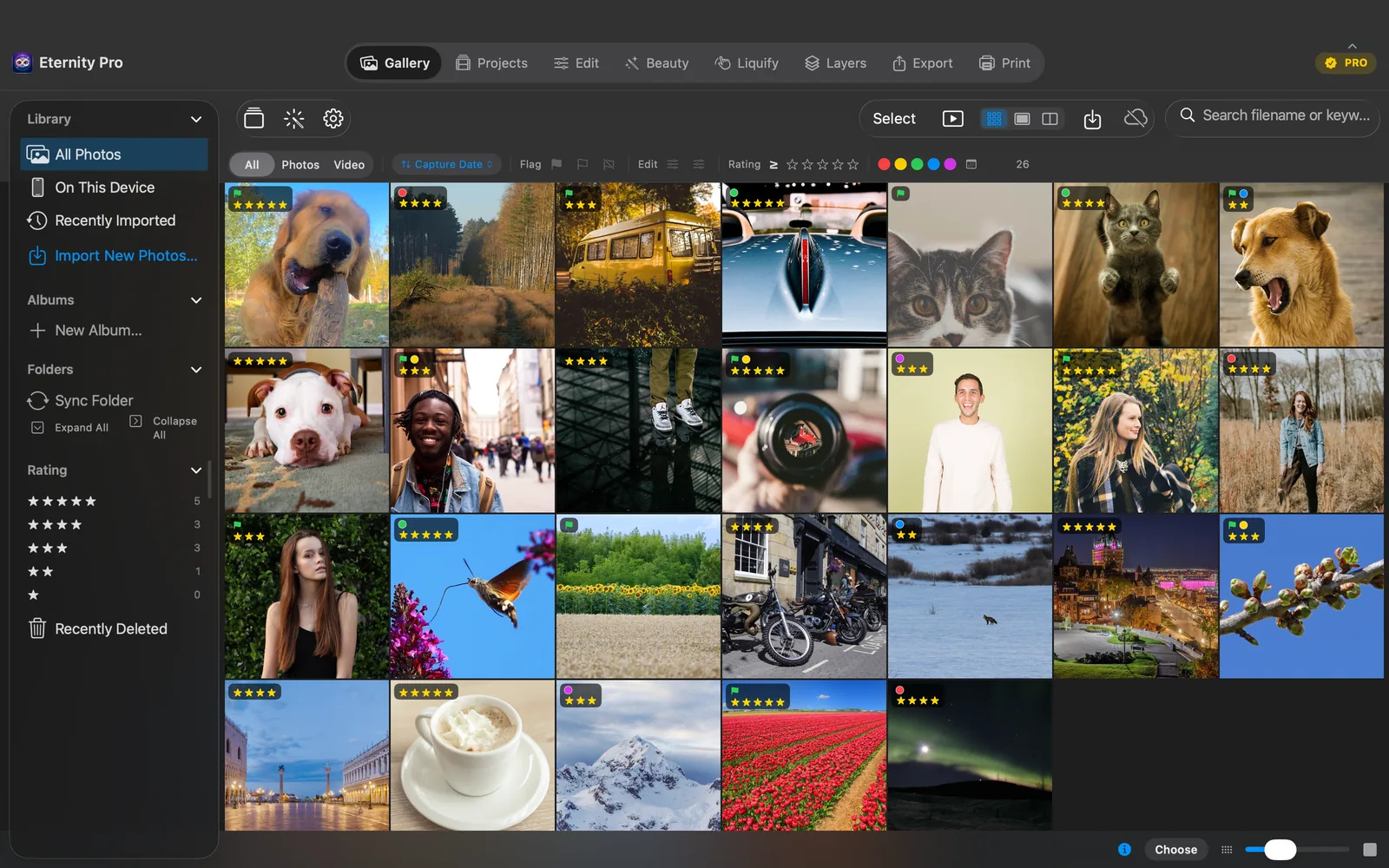
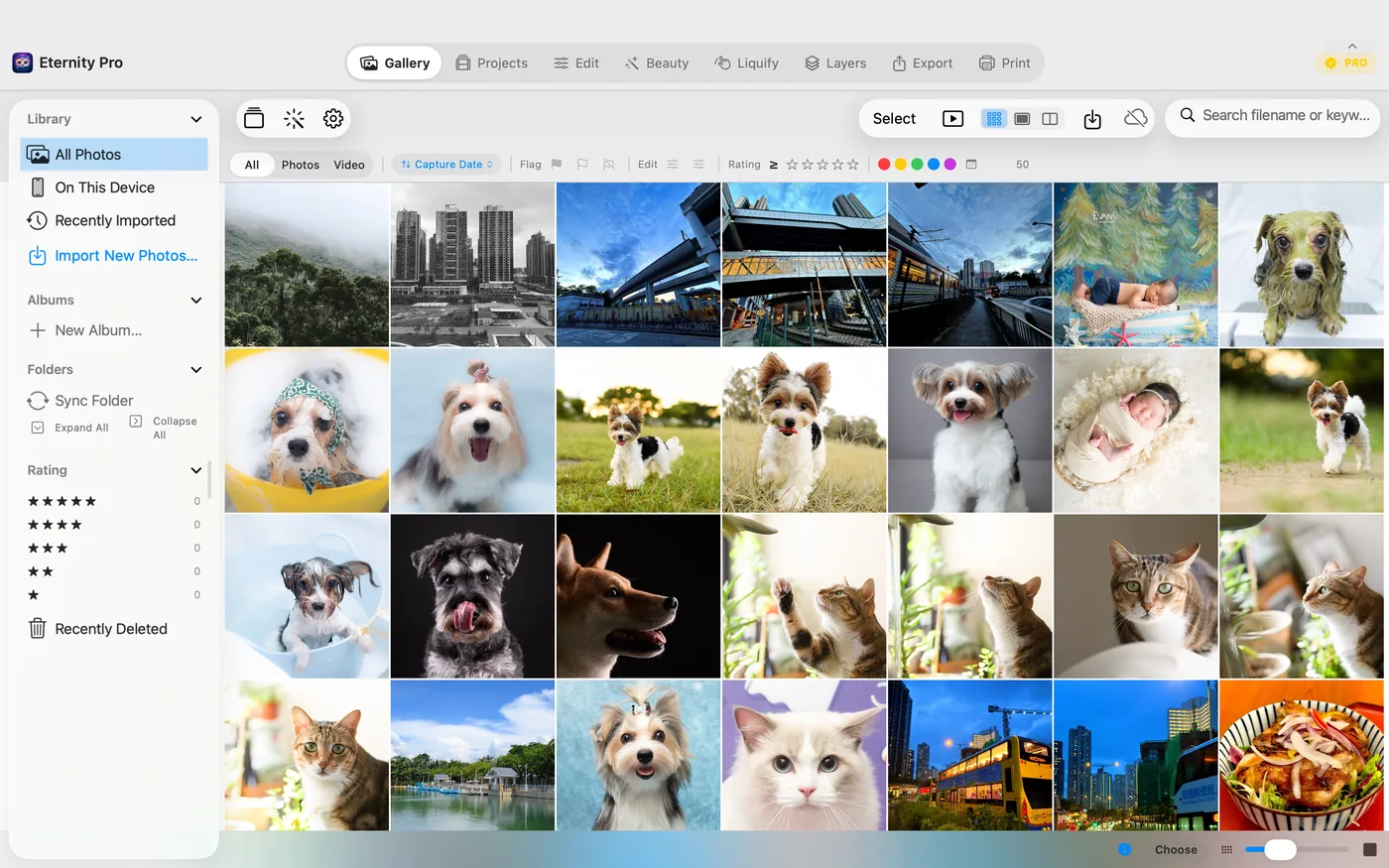
The Library on Mac: a grid of photos with star ratings, pick flags and colour labels, the sidebar with Library, Albums, Folders and Rating, and the filter bar
Library圖庫

Find the keepers in minutes, not evenings.幾分鐘就挑出好照片,不用耗一整晚。

Point it at your folders and drives — photos are catalogued where they already live. Rate, flag and label from the keyboard, filter down to the frames that matter, and let Smart Cull flag the blinks for you.指向你的資料夾與硬碟,相片就地編目,不用搬家。用鍵盤評星、標旗、加色彩標籤,篩到真正重要的那幾張,閉眼照就交給「智慧選片」標出來。

  • Stars, Pick / Reject flags, five colour labels and keywords — P, X, U and 0–5 on the keyboard星等、留用/淘汰旗標、五種色彩標籤與關鍵字 — 鍵盤 P、X、U 與 0–5 直接打
  • Folders referenced in place, grouped by drive — an unplugged drive just shows as offline資料夾就地參照,按硬碟分組 — 拔掉的硬碟只會顯示「離線」
  • Filter bar: flag, rating ≥ / = / ≤, colour label, edited or not, capture-date range; sort by date, rating or name篩選列:旗標、星等 ≥/=/≤、色彩標籤、是否已編輯、拍攝日期範圍;依日期、星等或檔名排序
  • Smart Cull spots closed eyes, soft focus and the best frame of a burst智慧選片找出閉眼、失焦,以及連拍中最好的一張
  • Grid, loupe, side-by-side compare and slideshow; albums, favourites and your Photos library alongside格狀、放大檢視、並排比較與幻燈片;相簿、常用項目,「照片」圖庫也並排在旁
  • Batch export to JPEG, HEIC, PNG or 16-bit TIFF in sRGB, Display P3 or Adobe RGB — resize, watermark, rename and save the recipe批次匯出 JPEG、HEIC、PNG 或 16-bit TIFF,sRGB、Display P3 或 Adobe RGB — 縮放、浮水印、改名,設定還能存成配方
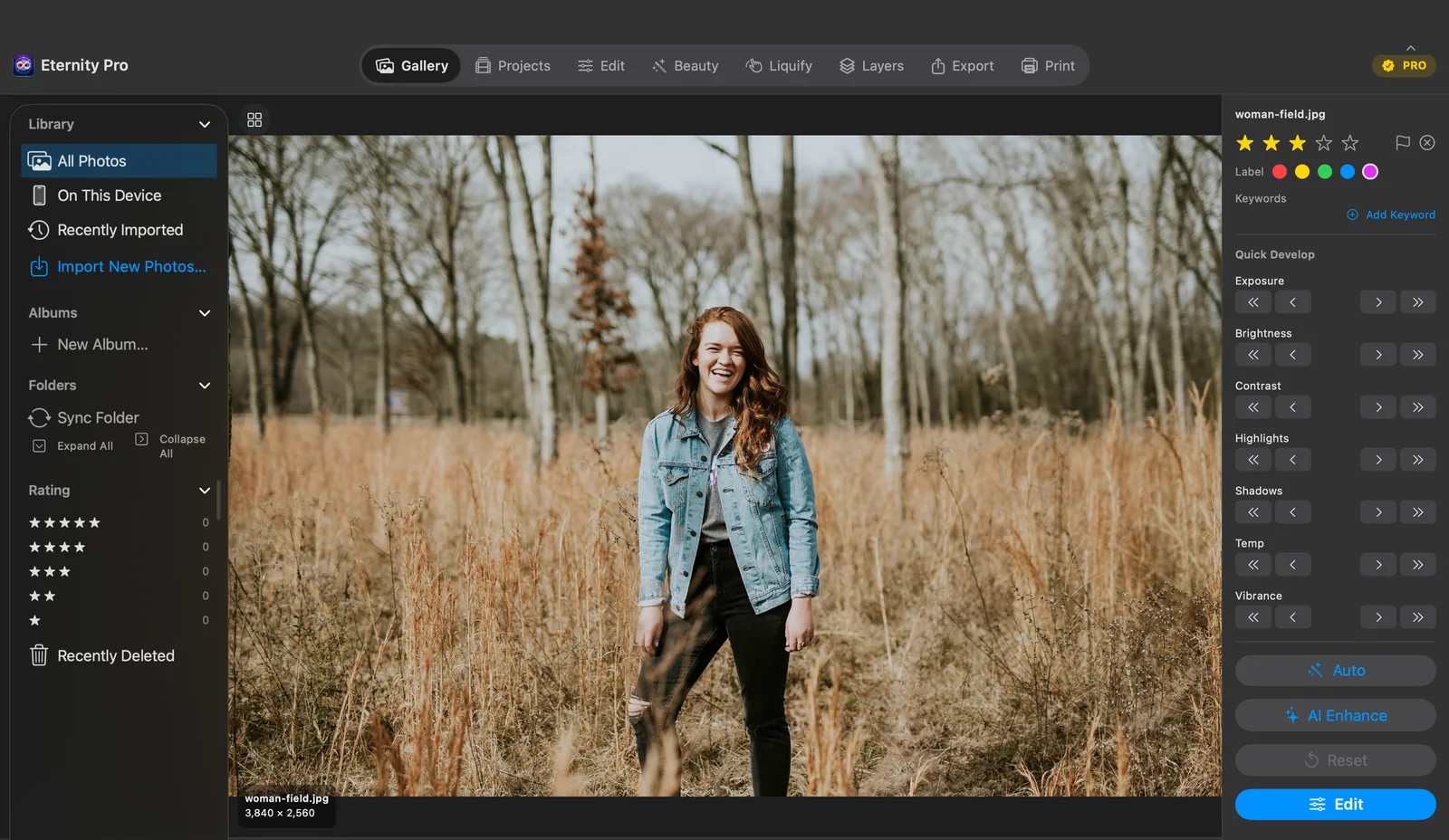
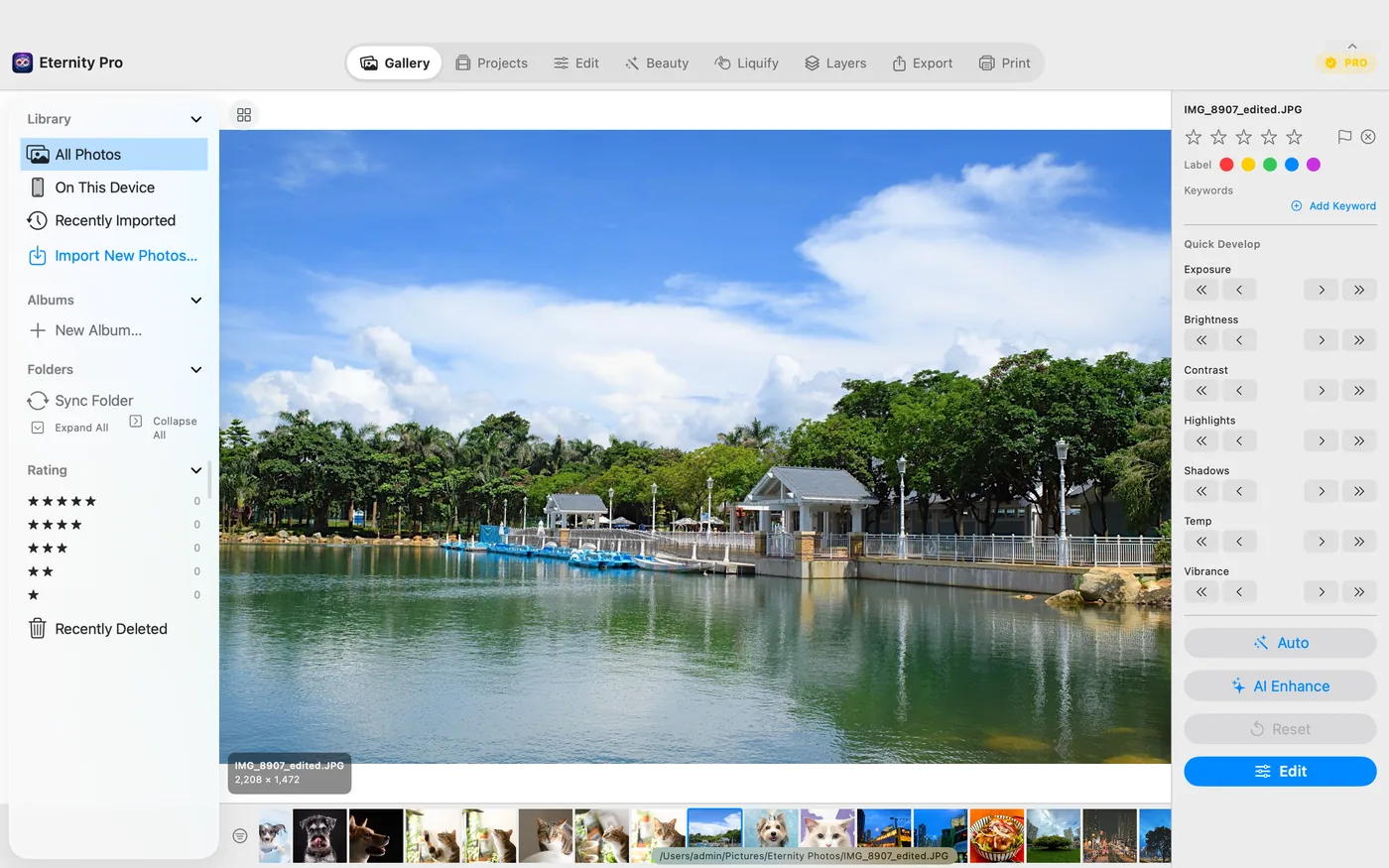
The loupe on Mac with the Quick Develop panel: rating, label, keywords, Exposure, Brightness, Contrast, Highlights, Shadows, Temp and Vibrance steppers, Auto, AI Enhance and Edit
Quick Develop快速編輯iPad · Mac

Fix it without leaving the library.不用離開圖庫,就把照片修好。

Open any photo in the loupe and the Quick Develop panel sits right beside it — rate it, nudge the exposure, warm it up, and step on to the next frame.在放大檢視打開任何一張,快速編輯面板就在旁邊 — 評星、微調曝光、調暖一點,再跳到下一張。

  • Exposure, Brightness, Contrast, Highlights, Shadows, Temp and Vibrance — big and small steps, one click each曝光、亮度、對比、亮部、陰影、色溫與自然飽和度 — 大步、小步,一下一格
  • Auto sets black and white points, tone and white balance for the scene自動按場景設定黑白點、影調與白平衡
  • AI Enhance: denoise, upscale, or both — saved as a new copy beside the originalAI 增強:降噪、放大解析度,或兩者一起 — 另存新檔,放在原檔旁邊
  • Stars, flags, labels and keywords in the same panel; Edit opens the full darkroom星等、旗標、標籤、關鍵字都在同一個面板;按編輯進入完整暗房
Free on JPEG and HEIC photos — no subscription. RAW files need Pro.JPEG 與 HEIC 相片免費使用,不需訂閱。RAW 檔需要 Pro。
Edit · AI tools編輯 · AI 工具

Every slider you expect. Then AI that does the hard part.該有的滑桿都有。難的部分交給 AI。

Light a portrait after the shoot, open the aperture on a phone photo, clean up skin without the plastic look, erase what shouldn't be there, swap the sky or the background. Every tool runs on your device — nothing is uploaded — and every one stays editable.拍完再幫人像打燈、把手機照片的光圈開大、修膚不塑膠、擦掉多餘的東西、換天空或換背景。每個工具都在你的裝置上執行,不會上傳,而且隨時可以再改。

Studio Light影樓燈光AI

Drag a key light around a sphere and the face answers — light on one side, shade and cast shadows on the other. Start from a classic setup, then shape it like you would on set.在光球上拖動主燈,臉上的光影立即跟著變 — 一邊受光,另一邊有陰影和投影。先選一個經典布光,再像在棚裡一樣慢慢調。

  • 7 presets: Rembrandt, Loop, Butterfly, Split, Rim, Soft, 3-point7 種預設:林布蘭、環形光、蝴蝶光、分割光、輪廓光、柔光、三點光
  • Key, shadow depth, cast shadows, backdrop brightness, rim, sheen and warmth光強度、陰影深度、投影、背景明暗、輪廓光、光澤與色溫
  • Up to two extra lights for fill or a kicker, each with its own direction最多再加兩盞輔助燈做補光或側逆光,各自有方向
Portrait as shot
As shot原圖
Rembrandt lighting
Rembrandt林布蘭
Butterfly lighting
Butterfly蝴蝶光
Split lighting
Split分割光
Rim lighting
Rim輪廓光
Three-point lighting
3-point三點光

AI depth of fieldAI 景深AI

An on-device depth model maps the scene, so any photo — not just Portrait mode — gets real lens blur that grows with distance. Tap to choose what stays sharp.裝置端深度模型先算出場景遠近,所以任何照片 — 不只人像模式 — 都能有隨距離漸強的真實鏡頭模糊。點一下選擇要清晰的位置。

  • Live ƒ/1.4–ƒ/16 readout, focus range and bokeh highlight brightness即時 ƒ/1.4–ƒ/16 光圈顯示、清晰範圍與光斑亮度
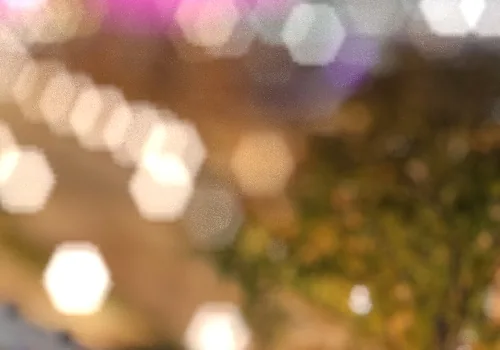
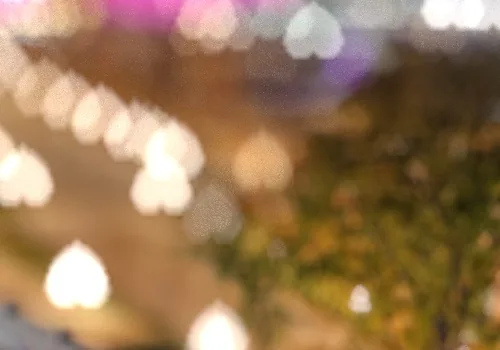
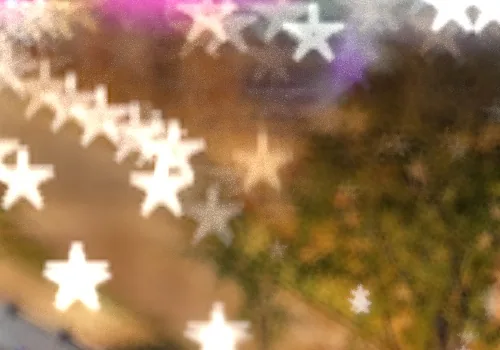
  • Bokeh shapes: circle, hexagon, heart, star and swirly cat's-eye光斑形狀:圓形、六角形、愛心、星形與旋焦貓眼
Round bokeh on city lights
Circle圓形
Hexagonal bokeh
Hexagon六角形
Heart-shaped bokeh
Heart愛心
Star-shaped bokeh
Star星形
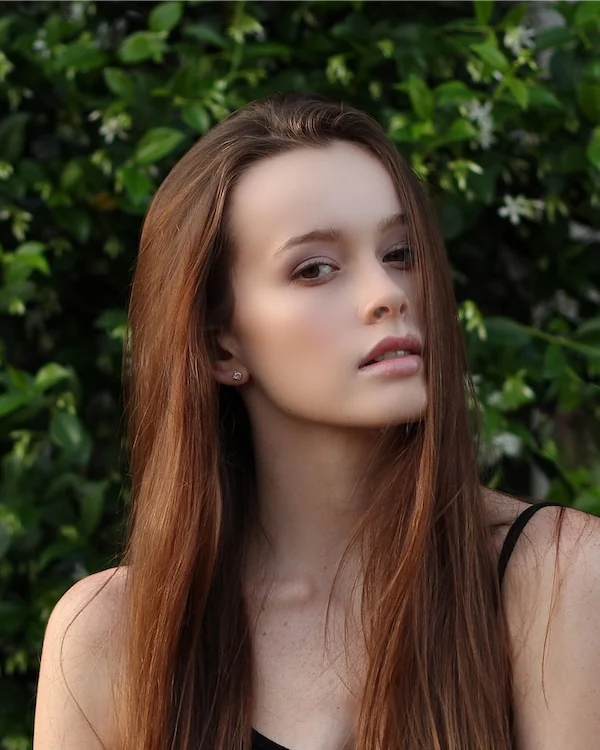
Close portrait of a woman, as shot The same portrait with blemishes removed, skin smoothed and shine reduced Before原圖Skin膚質
‹›

Skin that stays skin修膚,還是皮膚AI

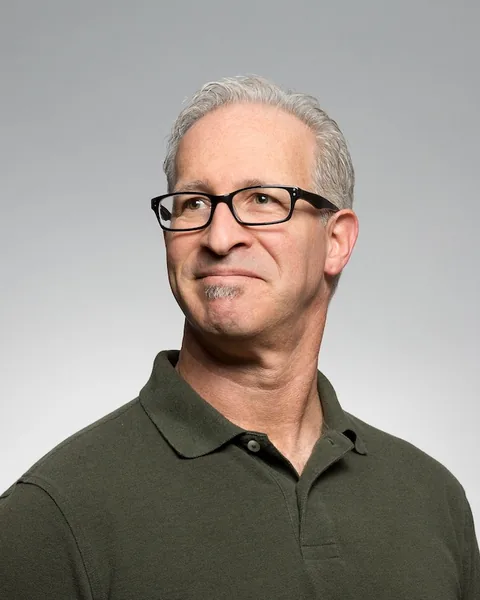
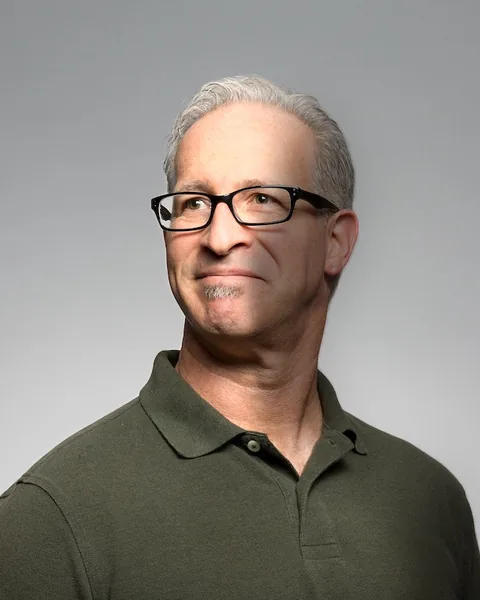
A learned skin mask finds face and body, so hair, eyes and jawlines stay sharp while the skin is cleaned up. Brush the mask in or out where you disagree.學習式膚色遮罩自動找出臉部與身體皮膚,頭髮、眼睛、下顎線保持銳利,只修皮膚。不滿意的地方用筆刷加入或擦除。

  • Blemish, Face Smooth, Body Smooth, Texture, Shine去瑕疵、臉部柔膚、身體柔膚、紋理清晰、去油光
  • Frequency-separation Heal Brush keeps the pores; Beauty Studio for face, eyes and skin tone頻率分離修復筆刷保留毛孔;美顏工作室處理臉型、眼睛與膚色
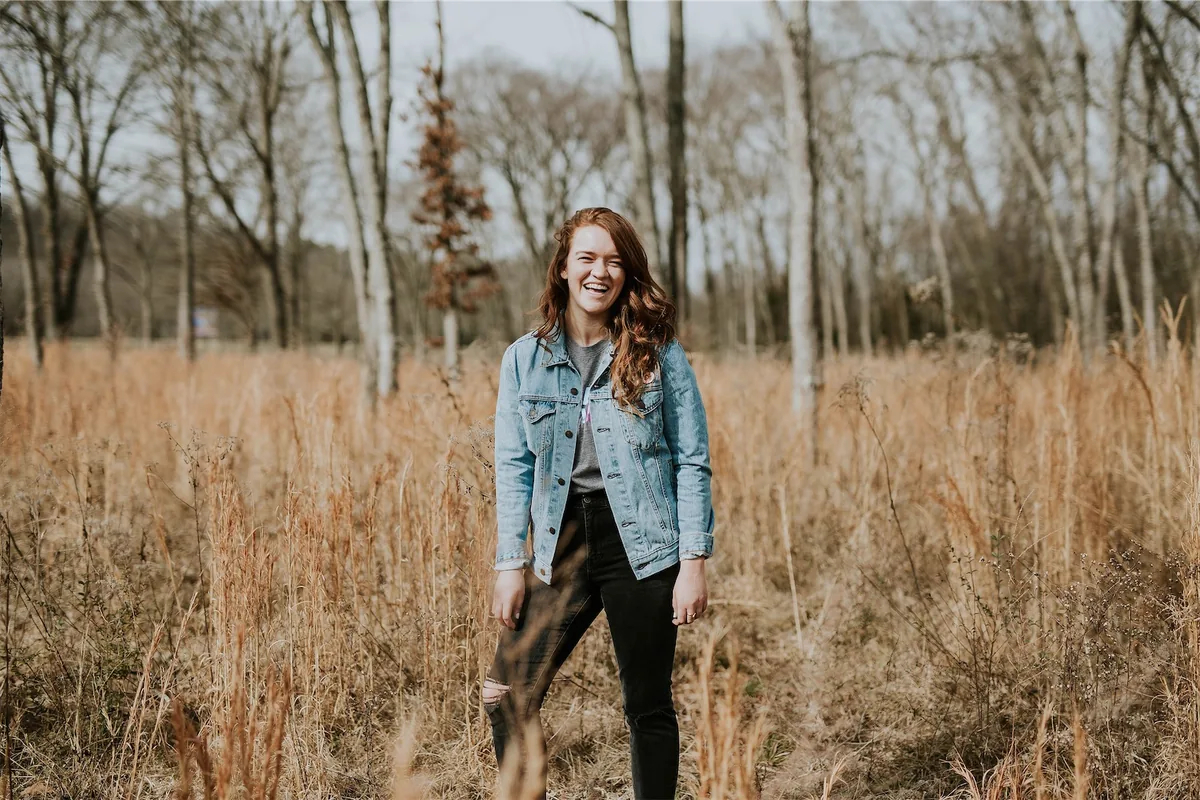
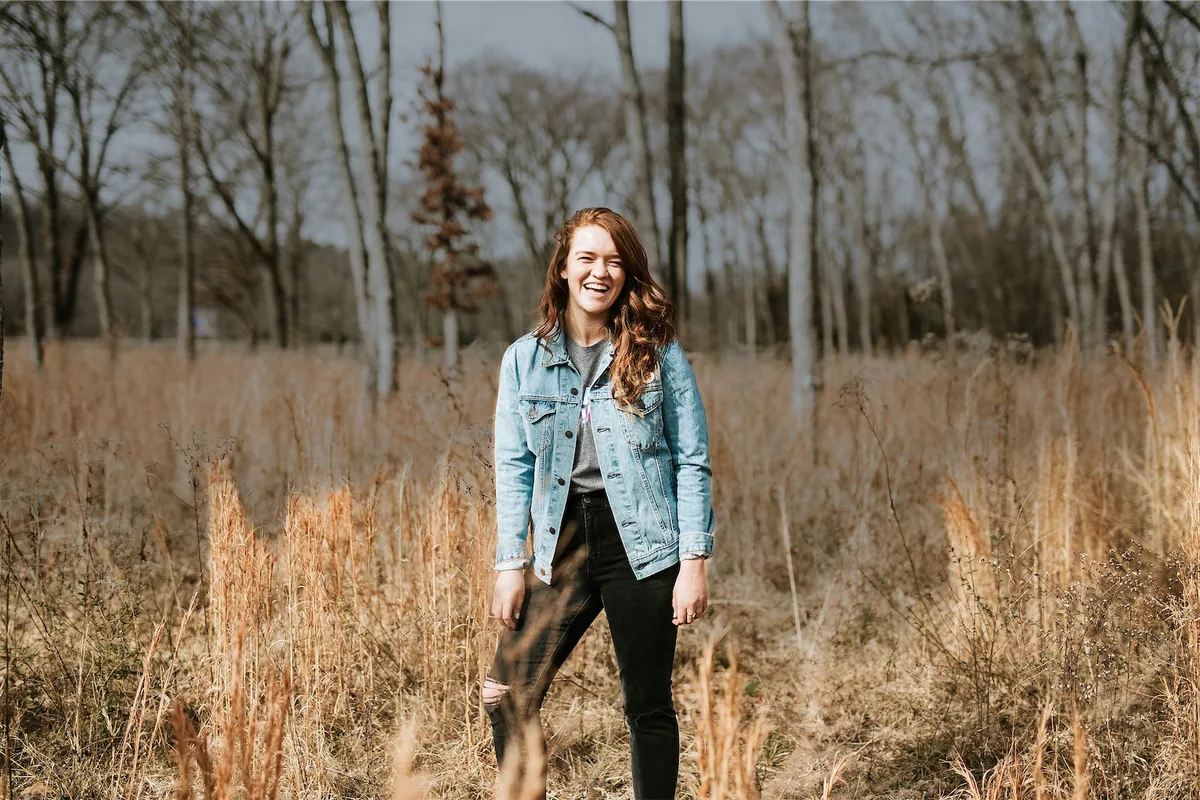
A woman in a field of dry grass, as shot The same photo relit: the woman brighter and warmer, the trees behind darker and cooler Before原圖Light Depth光線深度
‹›

Light Depth光線深度AI

Relight by distance: lift and warm what's near, darken and cool what's far, and the subject steps forward. Add a directional light you drag into place, on the subject only if you like.按遠近重新打光:近處提亮變暖、遠處壓暗變冷,主體自然跳出來。再加一盞可拖動位置的方向光,也可以只照亮主體。

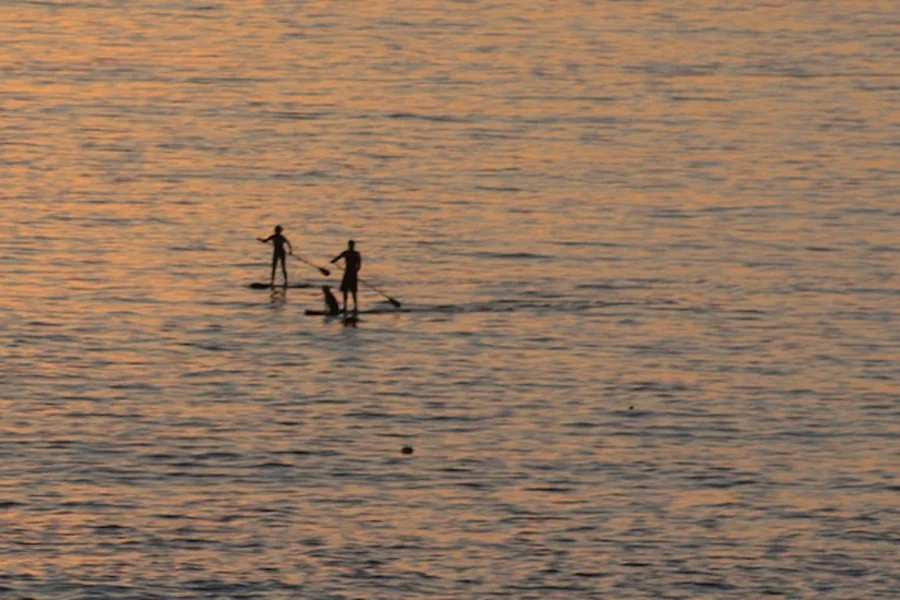
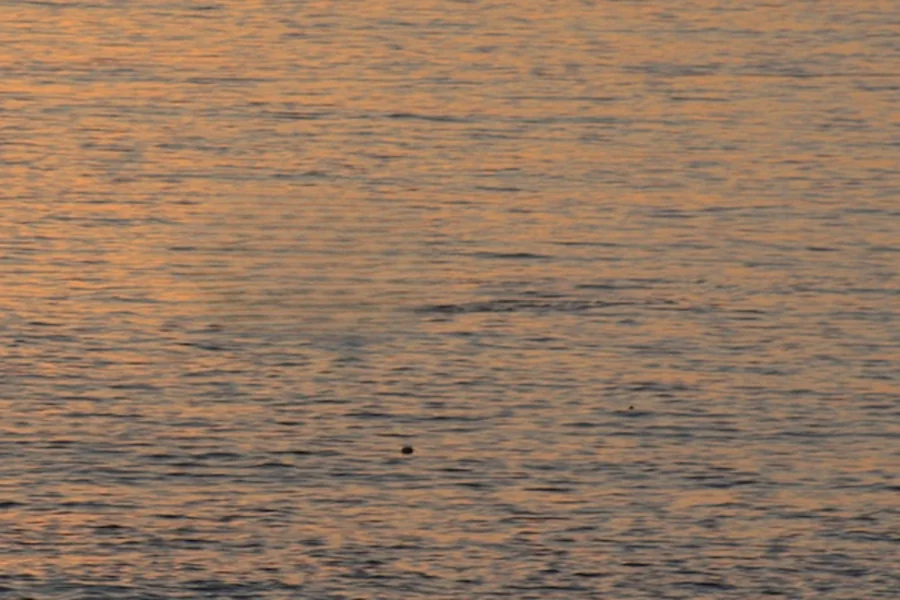
Two paddle boarders on a sunset sea The same sea with the paddle boarders removed Before原圖Removed已移除
‹›

Remove移除AI

Paint over a stranger, a sign or a power line and AI Clean Up fills it with what should be behind it. Heal Spot and Clone Stamp are there for the fine work, each stroke a layer you can hide or delete.塗過路人、招牌或電線,AI 移除就用原本應該在後面的畫面補上。細部用修復點和仿製印章,每一筆都是可隱藏、可刪除的獨立項目。

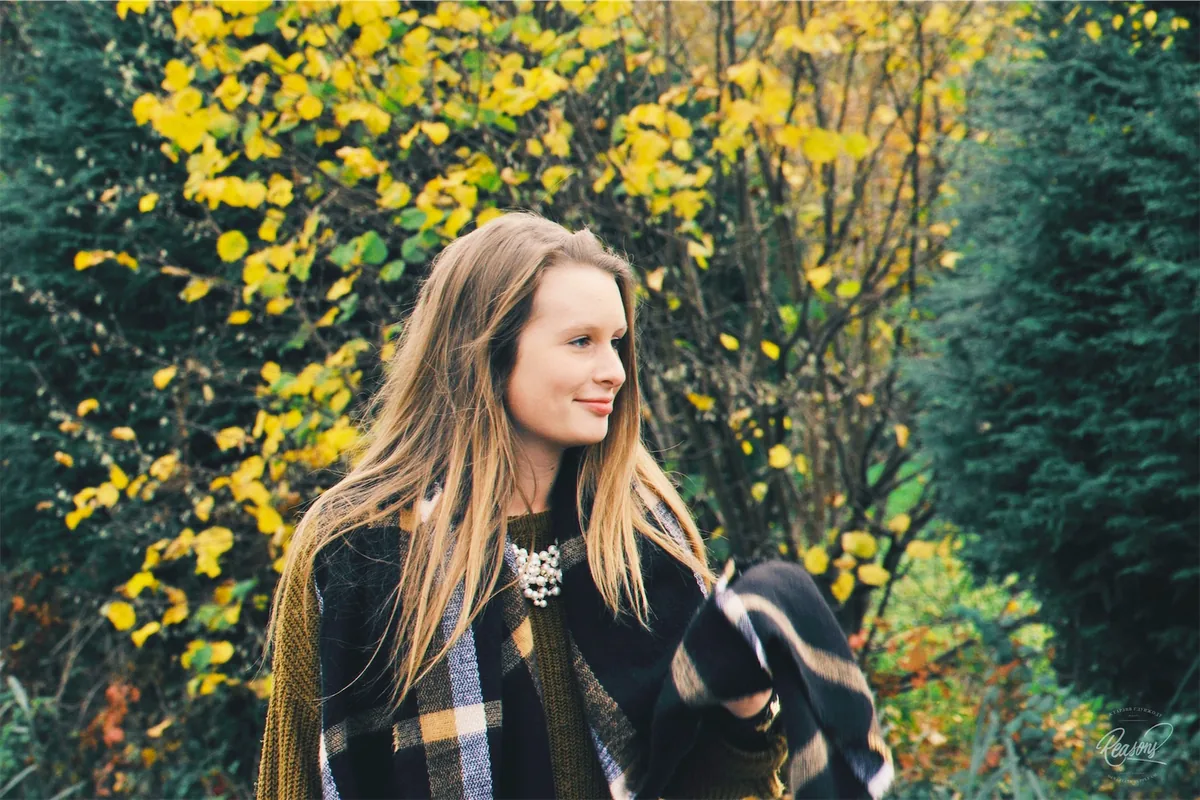
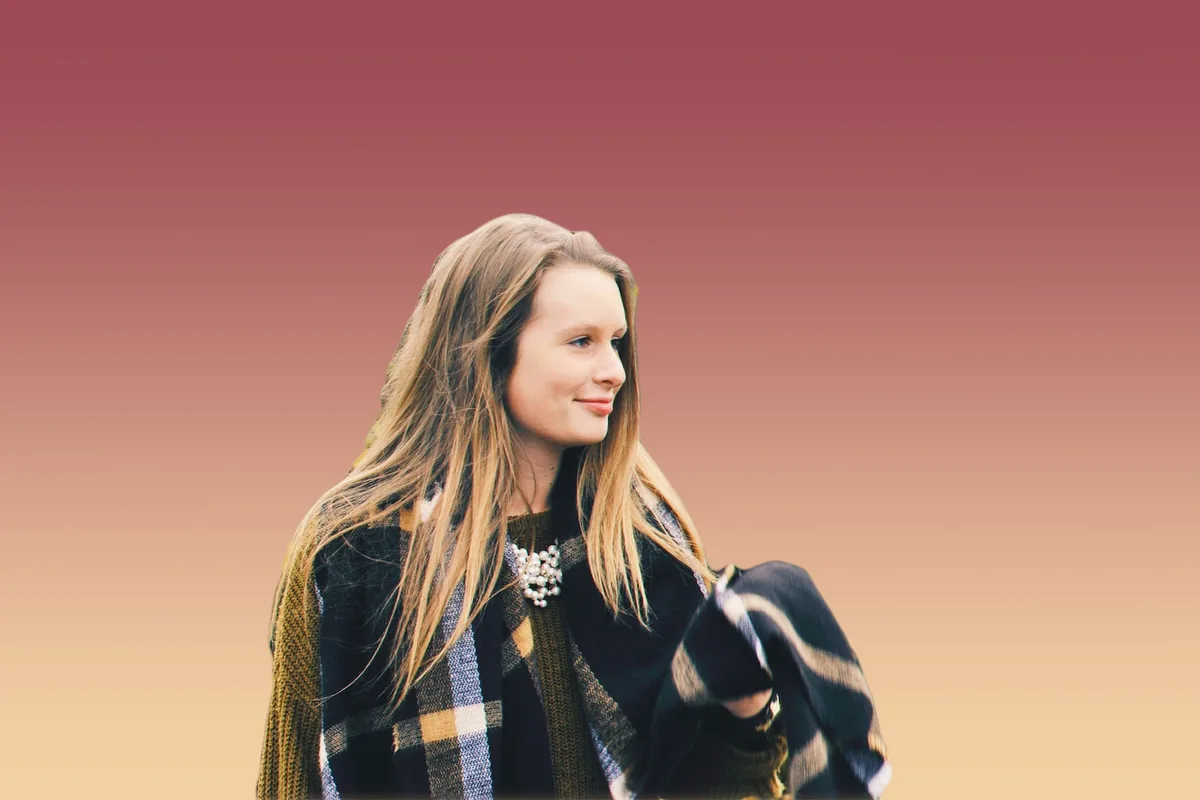
A woman in a plaid coat in front of autumn trees The same woman cut out onto a smooth dusk-coloured studio backdrop Before原圖Backdrop換背景
‹›

Studio backdrop, one tap一鍵去背換背景AI

The person is cut out on-device and placed on a clean studio backdrop — 28 of them, from plain colours and painted canvas to gradients and light beams. Tighten, soften and clean the edge colour, crop to head and shoulders in one tap, or bring the original background back.在裝置上把人物去背,放到乾淨的影樓背景上 — 共 28 款,從純色、畫布到漸變與光束。可收緊、柔化、淨化邊緣色,一鍵裁成頭肩構圖,也能隨時還原原本背景。

Sky replacement換天空AI

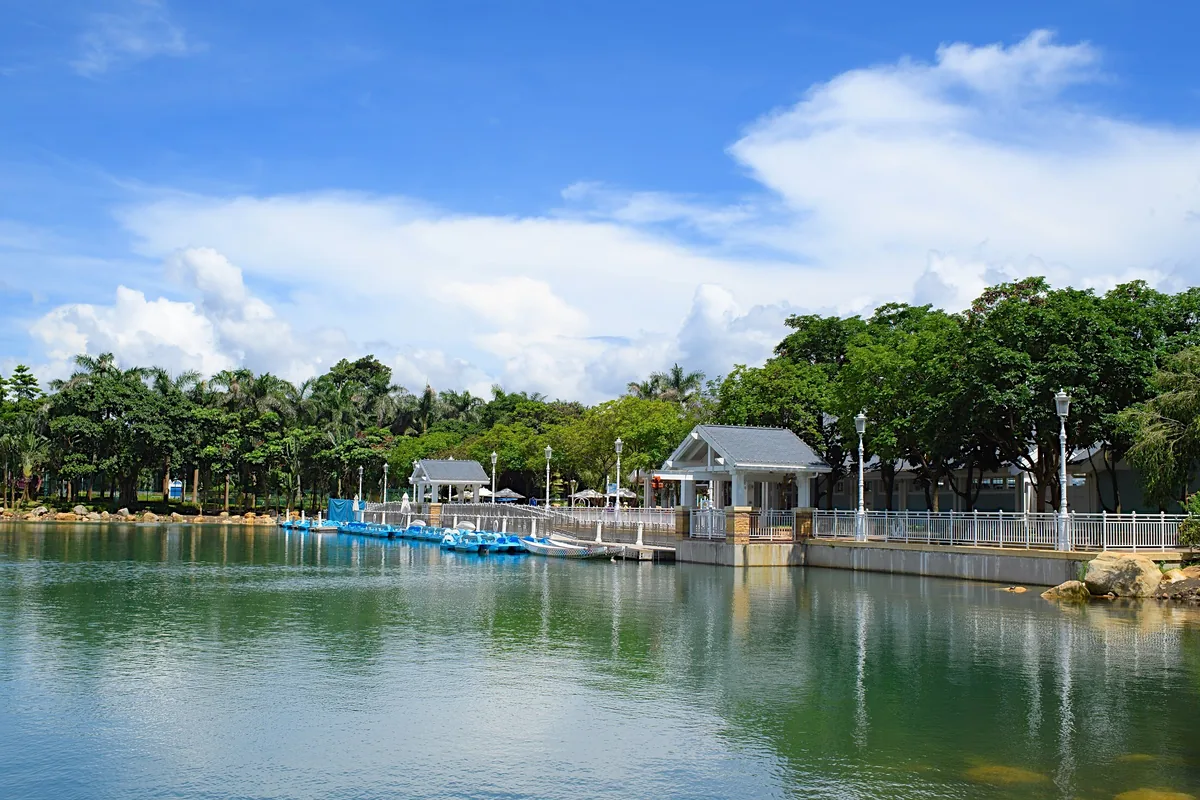
36 real high-resolution skies, three suggested for each photo. The ridge keeps its detail, the light on the land follows the new sky, and water reflects it. Try the slider below.36 張真實高解析天空,每張照片推薦三款。山脊保留細節、地面光線跟著新天空走,水面也映出新天空。在下面拖動比較。

🎚️Tone & colour影調與色彩

The full develop panel, non-destructive on RAW, JPEG and HEIC.完整顯影面板,RAW、JPEG、HEIC 都是非破壞。

  • Profiles
  • White balance · Kelvin
  • Exposure · Highlights · Shadows
  • Whites · Blacks
  • Tone curve
  • Color Mix (HSL)
  • Point Color
  • Grading wheels
  • Clarity · Dehaze
  • Vignette · Grain

◐Masks遮罩

Local adjustments where you want them — AI or by hand.只調你想調的地方 — AI 或手動。

  • Subject (AI)
  • Background (AI)
  • Skin
  • Linear
  • Radial
  • Brush · Auto Mask
  • Luminance range
  • Colour range
  • Lasso · Marquee

🔁Workflow工作流程

Edit one, finish fifty.修好一張,五十張一起完成。

  • Copy / paste by group
  • Sync to a selection
  • Styles & film looks
  • Your own presets
  • Step history
  • Snapshots
  • Before / after
  • Crop · Straighten · Perspective
  • Sharpen · Noise reduction

On JPEG and HEIC photos, Profile, white balance, Light and Crop are free to use. The AI tools and the rest of Edit are included with Pro — try them all free for 7 days on the yearly plan.JPEG 與 HEIC 相片的描述檔、白平衡、光線與裁切免費使用。AI 工具與其餘編輯功能包含在 Pro 內 — 年費方案可免費試用 7 天。

Eternity Studio Pro · Sky ReplacementEternity Studio Pro · 換天空

A new sky that belongs in the photo.換上去的天空,像本來就在那裡。

The sky is found on-device with a learned segmentation model — not a colour key. Edges keep their detail, the horizon dissolves into haze, the foreground light follows the new sky, lakes and the sea reflect the new sky, and a brush fixes the mask anywhere you disagree. 36 real high-resolution skies — with three suggested for each photo — or import your own. 天空由裝置端的學習式分割模型偵測,不是色鍵。邊緣保留細節、地平線自然過渡、前景光線跟著新天空走,湖面與海面映出新天空,遮罩不滿意就用筆刷修。內建 36 張真實高解析天空,每張照片推薦三款,也可匯入自己的。

Drag the handle. Both frames are straight out of the app's render engine — the same pixels you'd export.拖動把手比較。兩張都是 App 渲染引擎的直接輸出 — 與匯出的像素一致。

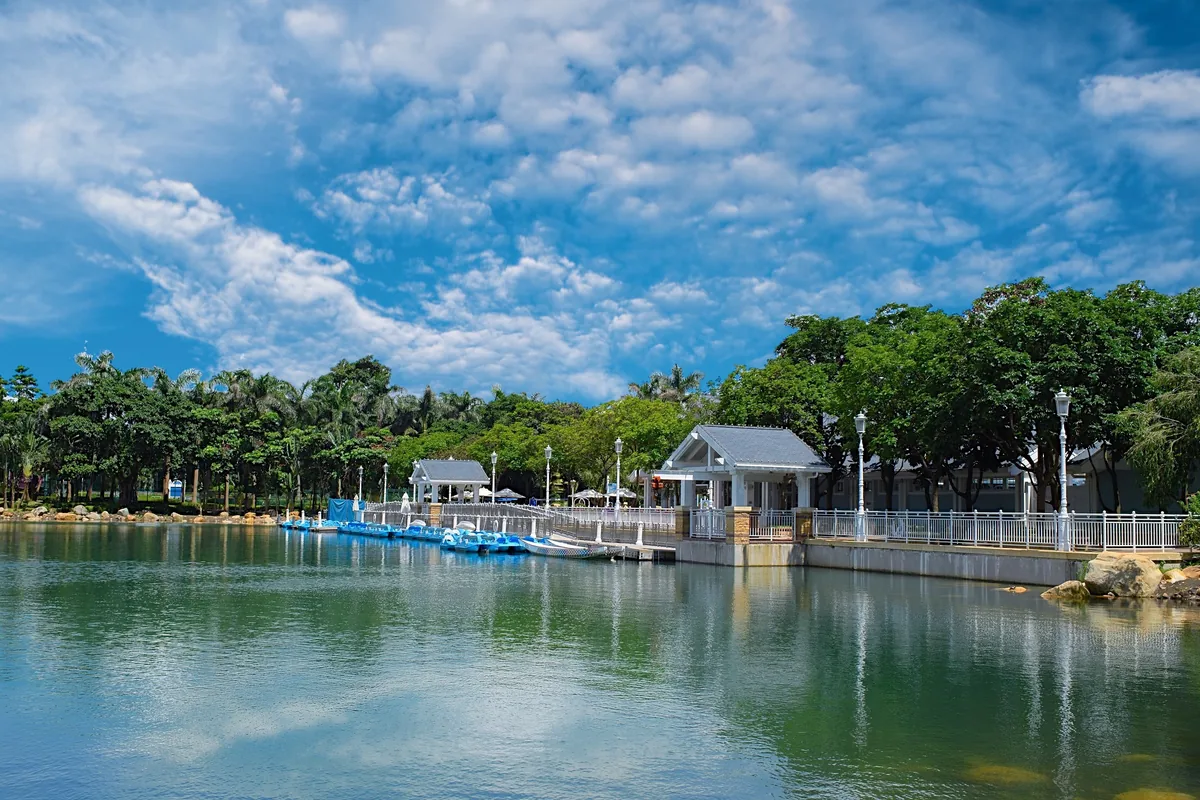
Lake and trees under the original daytime sky The same lake under a replaced blue sky with cirrus clouds Before原圖 After換天空
‹›
Print列印

From screen to paper, colour intact.從螢幕到紙上,顏色不走樣。

Pick a layout, drop in your photos and print — a fine-art single, a contact sheet of the whole shoot, or a page of wallet-size copies to cut and share. Your edits are rendered at full print resolution, with your printer's ICC profile.選版型、放相片、列印 — 留白框的藝術微噴、整輯的縮圖樣張,或一頁多張小尺寸相片,剪開就能送人。編輯會以完整列印解析度渲染,並套用你印表機的 ICC 描述檔。

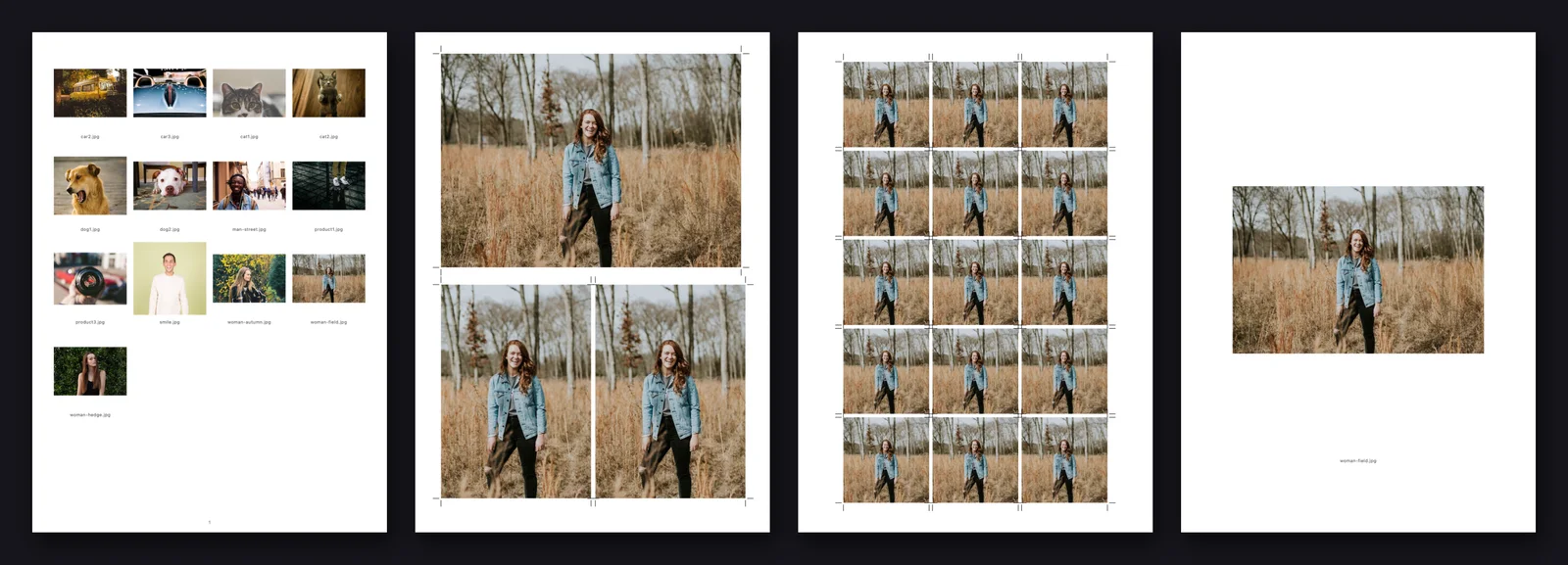
Four A4 pages from the Print module: a contact sheet with filenames, a picture package of one 5×7 and two 3.5×5 prints, a sheet of fifteen small copies with cut marks, and a single print with a wide fine-art border
Contact sheet縮圖樣張Picture package相片組合Photo sheet · wallet-size多張排版 · 小尺寸相片Fine-art border藝術微噴留白框

🗒️Layouts版型

Ready-made templates, or rows and columns your way — then save it as your own.現成範本,或自訂行列 — 再存成自己的範本。

  • Full page · Borderless
  • Fine-art border
  • 2-up · 2×2 · Triptych
  • Contact sheets
  • Picture packages
  • Photo sheets on 4×6 or A4
  • Rows & columns up to 12
  • Margins · Spacing

🎨Colour-managed色彩管理

See it before the ink hits the paper.墨水落紙之前先看到結果。

  • Import printer ICC profiles
  • Perceptual · Relative · Saturation · Absolute
  • Soft proof
  • Print brightness & contrast
  • Sharpening for matte or glossy
  • 180 – 360 ppi

📄Paper & output紙張與輸出

Print directly, or hand a print lab finished JPEGs with the profile embedded.直接列印,或交給沖印店已嵌入描述檔的 JPEG。

  • 4×6 · 5×7 · 8×10
  • A5 · A4 · Letter
  • A3 · A3+ · A2
  • Captions · Page numbers
  • Crop marks · Borders
  • Printer or JPEG files
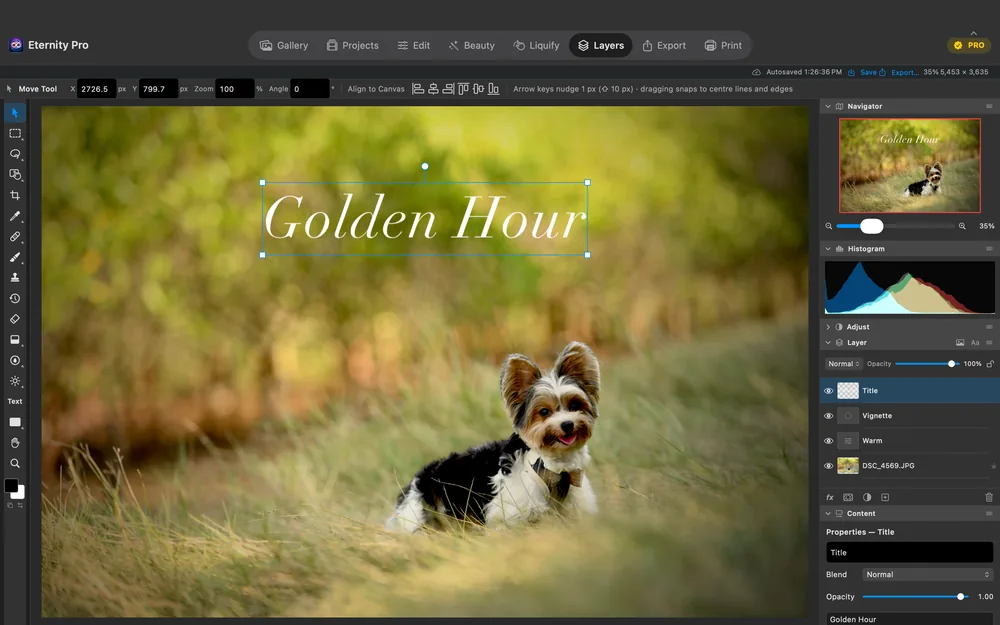
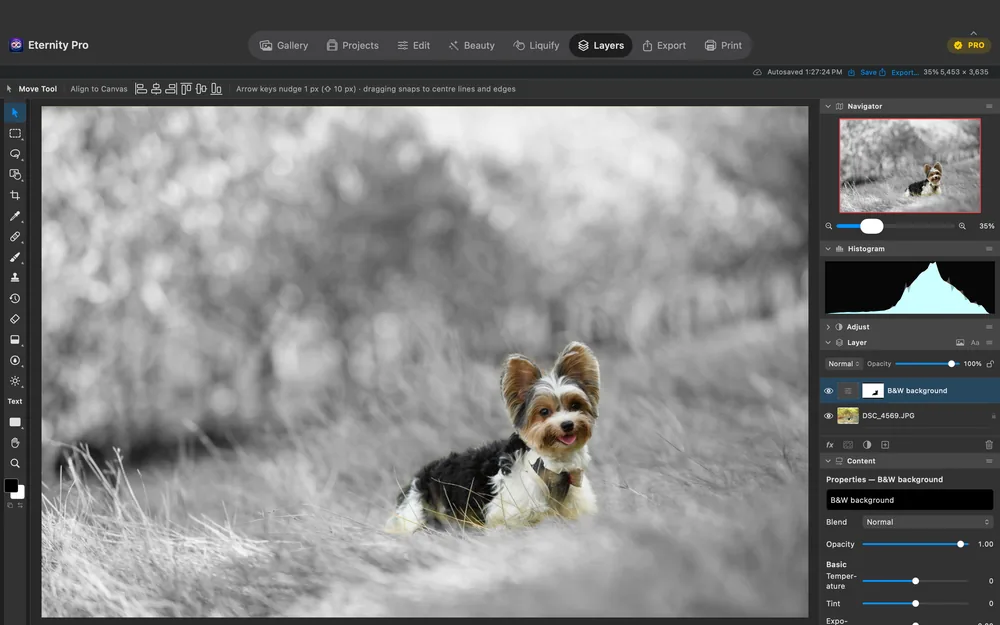
The Layers workspace on Mac with a text layer, a warm adjustment layer and a vignette
New in 1.5 · Layers1.5 全新 · 圖層iPad · Mac

When developing isn't enough.顯影不夠用的時候。

Open the photo in Layers: selections, masks, adjustment layers, blend modes, text, AI retouching — and save it all as a layered PSD. Your develop is layer one; nothing is flattened until you export.把照片打開到「圖層」:選取、遮罩、調整圖層、混合模式、文字、AI 修圖 — 還能存成分層 PSD。你的顯影就是第一層;匯出前不會被合併。

On every screen每個螢幕都順手

Desktop-class on Mac. Just as capable on iPhone.Mac 上是桌面級,iPhone 上一樣能幹。

Before and after compare on Mac
Before / after compare with the Teal & Orange look.套用 Teal & Orange 風格的前後比較。
Library on Mac
Library — ratings, flags, labels, folders, albums.圖庫 — 星等、旗標、標籤、資料夾、相簿。
Loupe view on Mac with Quick Develop
Loupe with Quick Develop — free on JPEG and HEIC, no subscription needed.放大檢視與快速編輯 — JPEG 與 HEIC 免費,不需訂閱。
Layers on Mac: subject in colour, background in black and white
Layers — subject kept in colour with one masked adjustment.圖層 — 一個遮罩調整,只讓主體保留色彩。
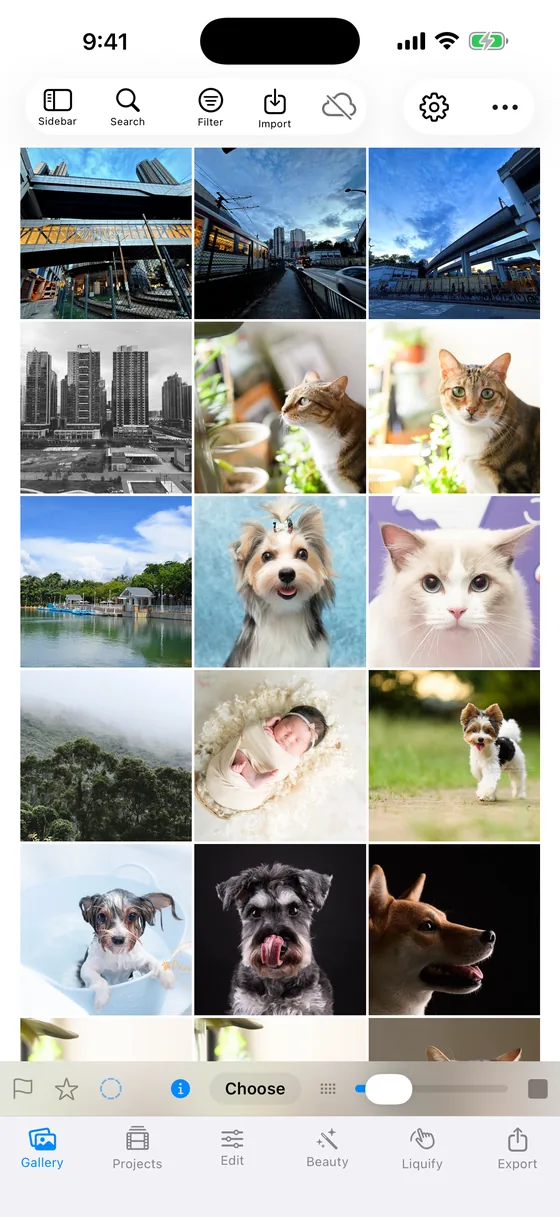
Library grid on iPhone
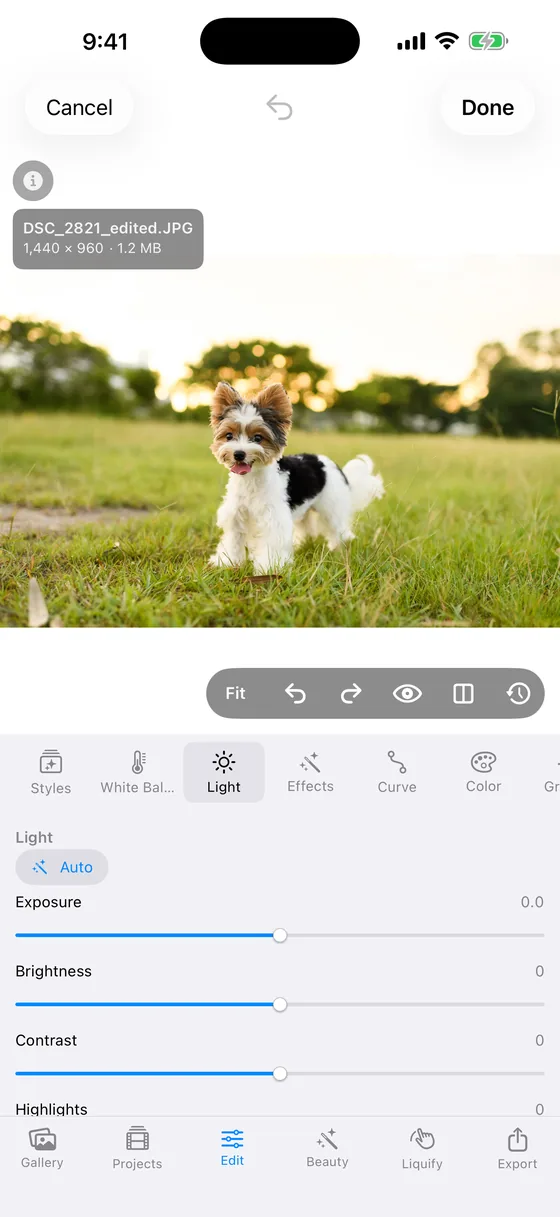
Editor on iPhone with the Light panel open
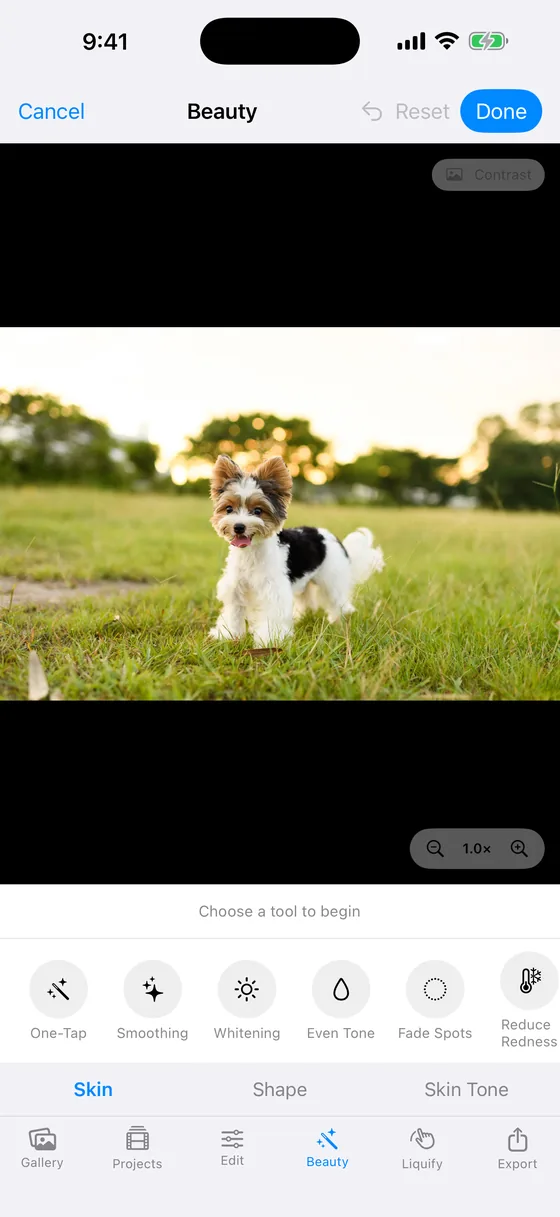
Beauty tools on iPhone
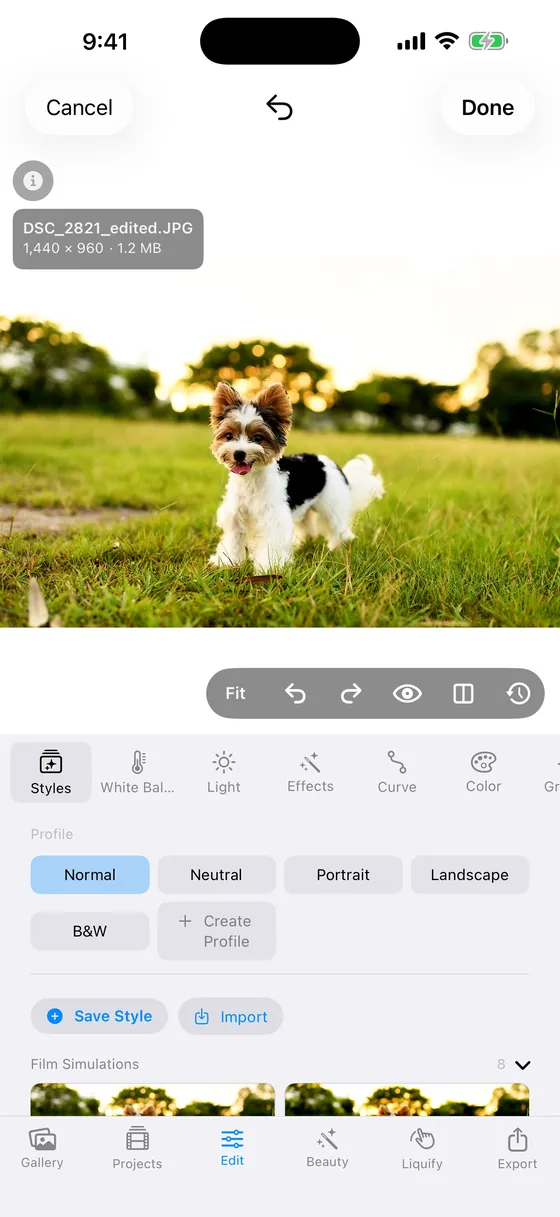
Styles and film simulations on iPhone
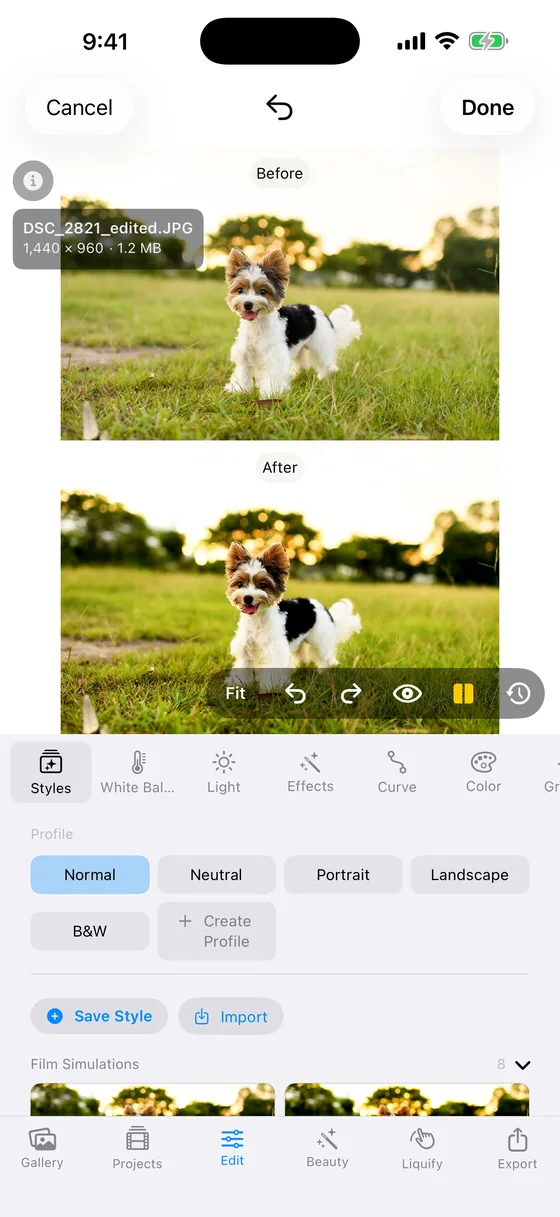
Before and after compare on iPhone

Your library. Your darkroom.你的圖庫,你的暗房。

Free to download. Try every tool free for 7 days, then $49.99/year — or $6.99/month.免費下載。所有工具免費試用 7 天,之後每年 US$49.99 — 或每月 US$6.99。

Your photos are never held hostage: viewing and exporting originals stay free forever.你的相片永遠不會被綁架:瀏覽與匯出原檔永遠免費。 Compare plans比較方案